
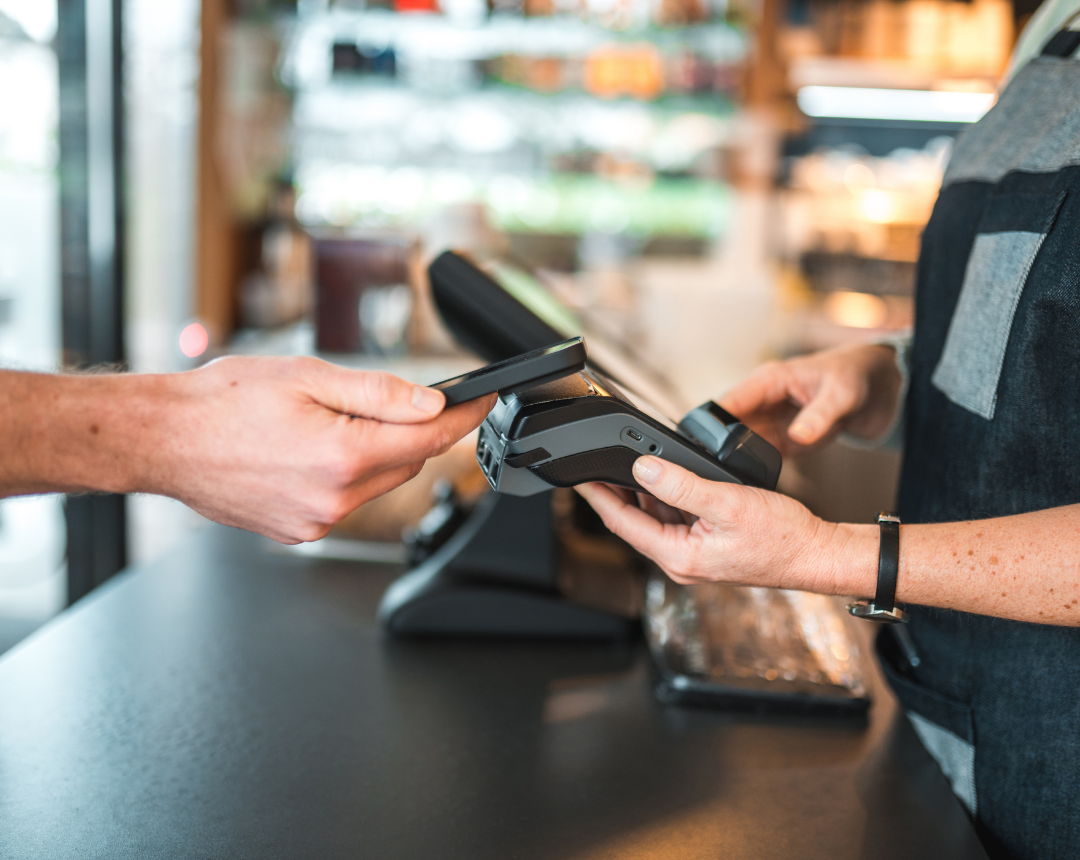
A POS system is the combination of hardware, software, payment processing, and networking technology businesses use to complete transactions and manage store operations. Modern POS systems for retail, franchise, and QSR businesses often include inventory tracking, customer data, reporting, employee management, and omnichannel integrations. Successful POS deployments require reliable POS installation services, structured rollouts, networking support, and ongoing field services to minimize downtime and maintain customer experience across every location.
Your POS system is no longer just a checkout terminal. It is the operational backbone of your retail store, franchise network, or QSR environment.
When POS systems fail, revenue stops immediately. Slow checkouts, disconnected inventory, payment failures, and poorly managed rollouts create customer frustration, operational chaos, and long-term brand damage. The financial impact is significant.
- The average retail POS downtime costs $4,700 per minute (Standish Group, 2026).
- 67% of customers experiencing payment issues never complete the purchase later (Jumpmind, 2026).
- Even a short delay matters, as 33% of shoppers abandon checkout lines after 5 minutes (SNP Group, 2026).
- Alarmingly, 53% of POS downtime originates from network infrastructure failures (Netfor IT Downtime Blog, 2026).
This blog will help businesses understand how modern POS systems work. We will cover how to choose the right retail POS system for your industry and what successful POS installation services actually involve. You will also learn how nationwide deployment partners reduce downtime and rollout risk across multi-location environments.
What is a POS System and Why Does it Matter More Than Ever?
A POS system includes much more than a cash register. It combines hardware, software, payment processing, networking, inventory systems, customer data, and omnichannel integrations. Today, modern POS systems are business-critical infrastructure. They provide revenue protection, enhance customer experience, ensure inventory synchronization, and enable mobile ordering.
The operational impact of downtime is severe. Lost revenue and labor inefficiency quickly add up. Checkout abandonment leads directly to customer churn and brand damage. Consider a massive Black Friday outage.
A national retail fleet losing its point of sale technology during peak holiday shopping can lose hundreds of thousands of dollars in a single hour. Similarly, a QSR lunch rush POS failure can destroy a restaurant's daily profit target. When retail checkout abandonment scenarios occur, businesses lose immediate sales and future loyalty.
To prevent these issues, modern systems offer specific technical specifications. Cloud POS adoption rates are soaring because cloud architectures reduce local server costs. Offline resilience functionality allows stores to process transactions even when the internet connection drops. Contactless payment support and omnichannel synchronization ensure a seamless experience for modern shoppers.
Core Components of a Modern POS System:
- Hardware devices like touchscreens and barcode scanners
- Software for processing transactions and tracking data
- Secure payment processing gateways
- Networking equipment for cloud connectivity
- Inventory management systems
- Customer data and loyalty integrations
- Omnichannel APIs for online and offline syncing
Read Now: The Field Service Gap: Who Installs Your Hardware After the Sale?
What is a POS system and how does it work?
A POS system acts as the central hub for transactions. It calculates the price of items, applies taxes, processes payments securely, and updates inventory records in real time.
Why are POS systems important for retail and QSR businesses?
They automate critical tasks and protect revenue. A reliable POS system ensures fast checkouts, accurate order routing in kitchens, and synchronized stock levels across all sales channels.
What happens when a POS system goes down?
When a POS system goes down, cashiers cannot process electronic payments or update inventory. This leads to long lines, lost sales, frustrated customers, and significant financial losses.
What are the Best POS Systems by Industry?
Different industries require different POS architectures. Retail inventory complexity demands systems that handle matrix variants and multi-warehouse routing. Franchise centralized control requires corporate dashboards that can push menu updates to hundreds of locations. QSR speed and kitchen workflows require fast modifier logic and kitchen display system integrations.
The best POS systems for retail include
- Shopify POS
- Square for Retail
- Lightspeed POS
- KORONA POS
For franchise operations, the best platforms are:
- Franpos
- PushPOS
- Heartland Retail
- Revel Systems
In QSR environments, businesses trust:
- Toast POS
- TouchBistro
- Clover POS
- Square for Restaurants.
Installation tips vary by industry. A retail POS system requires strict inventory sync validation. An apparel retailer using matrix inventory must test every variant connection before going live. Franchise deployments rely on multi-site staging. A franchise menu synchronization example shows how one corporate update correctly populates across all regional menus.
QSR installations need extensive kitchen display testing, drive-thru optimization, and contactless payment calibration. A QSR drive-thru deployment must coordinate outdoor hardware with indoor prep stations perfectly.
Technical capabilities make these systems effective. Offline mode capabilities keep transactions moving without the internet. KDS integrations streamline food preparation. Omnichannel APIs link physical and digital stores. Contactless and NFC support speeds up checkout times. Inventory synchronization prevents overselling, while mobile POS adoption helps staff serve customers anywhere in the store.
What businesses should evaluate before choosing a POS system:
- Scalability for adding new locations easily
- Offline capabilities to prevent transaction loss
- Payment integrations with preferred processors
- Reporting tools for accurate forecasting
- Franchise management features for corporate oversight
- Omnichannel support for blended online and offline sales
- Deployment complexity and field service requirements
What are the best POS systems for retail?
Top retail choices include Shopify POS, Square for Retail, Lightspeed POS, and KORONA POS. These systems excel at complex inventory management and seamless ecommerce integration.
What is the best POS system for franchise businesses?
Franchise operations benefit from Franpos, PushPOS, Heartland Retail, and Revel Systems. These platforms offer strong multi-location management and corporate-to-franchisee reporting.
What POS systems work best for QSR environments?
QSR businesses thrive using Toast POS, TouchBistro, Clover POS, and Square for Restaurants. They provide fast order entry, robust kitchen display integrations, and drive-thru management.
What is Included in POS Installation Services?
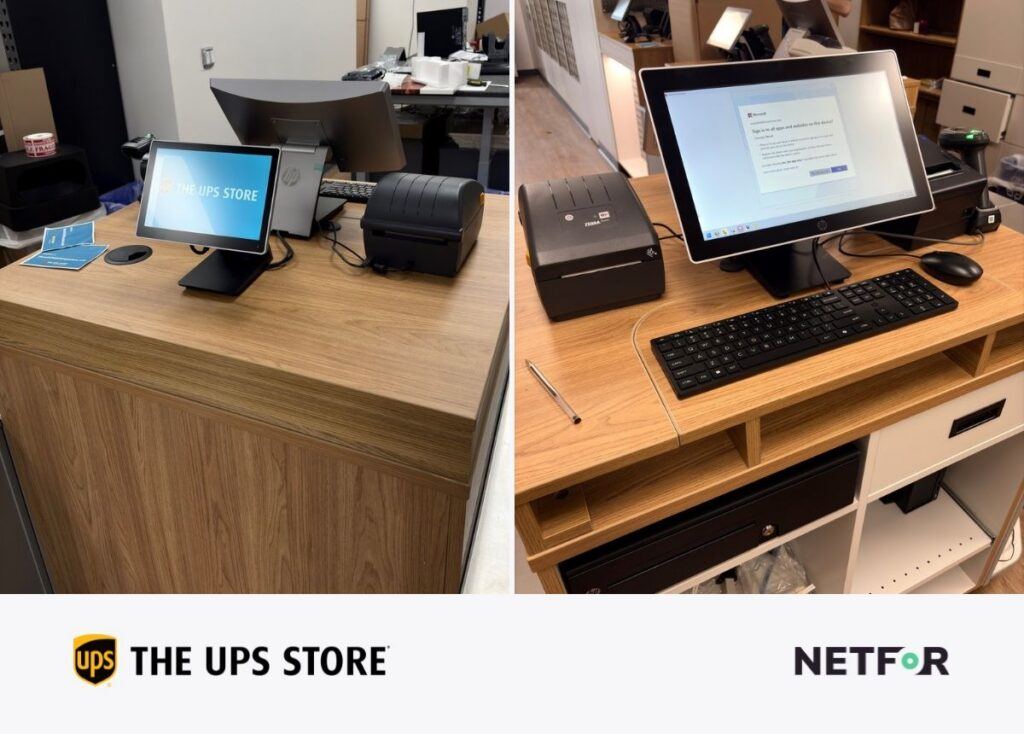
Many people hold the misconception that POS installs are simple plug and play events. In reality, professional POS installation services include extensive technical work. Technicians handle cabling, networking, device staging, imaging, hardware mounting, firewall setup, payment integration, operational testing, and on-site training.
Centralized staging matters significantly. When technicians configure and test devices in a centralized facility before shipping them, it results in reduced install errors. This approach creates faster deployment times and a lower downtime risk. Pre-staging also guarantees better first-time-fix rates because the hardware arrives ready to work.
Field services coordination is critical for nationwide rollouts. A multi-location retail rollout requires strict scheduling to ensure every store opens on time. An overnight retail deployment demands technicians who can work quickly while the store is closed. Rural location service challenges highlight the need for a field partner with a massive, vetted technician network.
Technicians must manage specific technical requirements. This includes SD-WAN configurations, cellular failover setups, and VLAN architecture. They must also perform NFC reader calibration, assign static IP configurations, and secure the LAN architecture.
POS Installation Checklist:
- Site readiness audit to check power and network drops
- Hardware imaging to load the correct software profile
- Network validation for stable internet and firewall security
- Peripheral testing for scanners, cash drawers, and printers
- Payment processing validation to ensure secure transactions
- Employee training on basic operations and troubleshooting
- Go-live support to handle day one challenges
What is included in POS installation services?
Services include physical hardware mounting, cable routing, software configuration, network security setup, payment gateway integration, peripheral testing, and staff training.
How long does a POS installation take?
A single location usually takes a few hours to a full day. Across multiple locations, a complete rollout can take 4 to 8 weeks depending on staging and logistical coordination.
Why do businesses outsource POS installation services?
Outsourcing provides access to nationwide technician networks, faster deployment speeds, centralized hardware staging, and specialized project management that internal teams cannot match.
How Do Nationwide Rollouts and Lifecycle Management Prevent Downtime?
Multi-location POS rollouts often fail due to predictable reasons. Poor technician coverage leaves rural stores waiting for days. Unstaged hardware creates delays and configuration errors on site. Weak project management causes scheduling conflicts. Inconsistent installs lead to network vulnerabilities. Finally, a lack of support after go-live leaves store managers stranded when initial problems arise.
The operational risks of inconsistent deployments are massive. Store downtime halts revenue generation. Failed transactions damage customer trust. Inventory drift creates inaccurate stock records, which eventually causes customer churn.
Businesses outsource nationwide field services to avoid these risks. Working with a dedicated partner ensures faster deployment and lower operational cost. Local technician dispatch minimizes travel delays. This strategy drastically reduces the internal IT burden, freeing your corporate team to focus on strategy.
The importance of IT lifecycle management cannot be ignored. Hardware refresh cycles keep equipment running smoothly. Maintenance schedules prevent sudden terminal failures. Patch management secures the network against cyber threats. Proactive monitoring identifies failing parts before they cause an outage. For example, hardware aging causing outages is completely preventable with proper lifecycle planning. A rural SLA delay is avoided when your partner has local technicians ready to dispatch.

Technical metrics define success here. A high First Time Fix Rate or First Run Rate ensures problems are solved on the first visit. Hardware lifecycle timelines dictate when to replace aging touchscreens. SLA response expectations guarantee fast support. Cloud migration statistics show that moving away from legacy servers improves overall reliability.
Internal IT Team vs Nationwide Field Services Partner:
- Cost comparison: Outsourcing turns high fixed internal salaries into scalable, pay-per-use costs.
- Response time comparison: Nationwide partners dispatch local technicians faster than a traveling internal team.
- Travel and logistics burden: Partners eliminate expensive internal travel costs.
- Technician availability: A large field network guarantees coverage in Tier 1 and Tier 4 markets.
- Scalability: Outsourced teams can upgrade hundreds of stores simultaneously.
- Coverage consistency: Standardized checklists ensure every store receives the exact same installation quality.
How do nationwide POS deployments work?
A central project management team coordinates the entire process. They stage hardware in a depot, ship kits to stores, and dispatch local technicians to install and test the equipment on a strict schedule.
What are the biggest challenges during retail technology rollouts?
The biggest challenges include managing technician availability in rural areas, dealing with dead-on-arrival hardware, and ensuring consistent installation quality across hundreds of sites.
How often should POS systems be replaced?
Most POS hardware has a lifespan of 3 to 5 years. Software and complete system refreshes should occur every 5 to 7 years to maintain security and operational speed.
How Modern POS Systems Improve Customer Experience
There is a direct connection between POS systems and customer experience. Fast checkout speed keeps lines short and shoppers happy. High inventory accuracy ensures customers find the products they want. Omnichannel ordering allows guests to buy online and pick up in store smoothly. Loyalty programs reward repeat visits, while self-checkout kiosks options give customers control over their shopping journey.
Several modern POS trends are shaping retail. Mobile POS devices allow associates to ring up customers anywhere on the floor. AI integrations predict inventory needs and personalize recommendations. Self-checkout kiosks reduce labor costs and line wait times. Contactless payments provide secure, tap and go convenience. Edge computing ensures fast transaction processing even during peak hours.
Resilient POS infrastructure protects revenue. Mobile POS improving checkout speed directly increases sales volume. Self-checkout reducing wait times prevents cart abandonment. Omnichannel inventory synchronization ensures that digital and physical sales channels remain perfectly aligned.
Netfor supports retail operations nationwide. We provide comprehensive nationwide field services and expert retail technology deployment. Our POS installation services guarantee consistent results across every site. We also deliver 24/7 IT support and complete lifecycle management.
Industry specifications prove these benefits. Contactless payment adoption is now an expectation for modern consumers. Increased mPOS penetration helps retailers maximize floor space. AI forecasting improvements reduce out of stock scenarios. Omnichannel revenue increases when systems are perfectly integrated.
Best Practices for Reducing POS Downtime:
- Centralized staging to test all hardware before deployment
- Offline resilience to process sales during internet outages
- Redundant networking with cellular failover connections
- Proactive maintenance to replace aging parts early
- Overnight deployments to eliminate daytime disruption
- Standardized field support for consistent repairs
How do POS systems improve customer experience?
They enable faster checkouts, support modern payment methods like mobile wallets, ensure accurate inventory visibility, and power personalized loyalty programs.
What POS trends are retailers investing in?
Retailers are heavily investing in mobile POS devices, self-checkout kiosks, AI driven inventory forecasting, and seamless omnichannel integrations.
How can businesses reduce POS downtime?
Businesses can reduce downtime by utilizing centralized hardware staging, implementing redundant cellular network backups, and partnering with a proactive IT support provider.
Transform Your Operations with Reliable Point of Sale Technology
POS systems are critical operational infrastructure. Choosing the right retail POS system depends entirely on your specific industry needs. However, the software and hardware are only half the battle. Installation quality directly impacts your store uptime and your customer experience. Nationwide deployment coordination significantly reduces rollout risk. Furthermore, active IT lifecycle management is essential for long-term reliability.
Netfor combines nationwide field services, retail technology deployment expertise, POS installation services, and ongoing IT lifecycle support. We help retail, franchise, and QSR organizations deploy technology consistently across every location. We ensure your POS infrastructure protects your revenue and delights your customers.
Learn more about our Retail IT Support solutions. Discover how our POS installation services and nationwide field services can simplify your next rollout. Read about the true cost of outages in our IT downtime guide, and explore our strategies for better customer experience management.