
Quick answer: POS installation, also called point of sale installation, is the process of setting up the hardware, software, network connections, and payment devices a business uses to process transactions. A complete POS install includes a site survey, network and cabling readiness, staging and configuring terminals, mounting peripherals like pin pads, receipt printers, cash drawers, and barcode scanners, testing payment processing, and training staff before go-live. A single store can often handle a simple setup in-house. Multi-location rollouts are different. They depend on standardized processes, pre-staged hardware, and coordinated field technicians to keep every location installed on schedule without disrupting sales.
More than half of active POS systems in use today are over five years old (Hotel Tech Report, 2026), and many retail and restaurant operators are already planning their next upgrade. For most multi-location brands, a POS installation isn't a question of if. It's a question of when, and how many stores will need one at once.
Here's the part that catches operators off guard: install days rarely fail because of the software. They fail because the store wasn't ready, the right parts didn't show up, or nobody owned the cutover from start to finish. Each of those failures costs selling time, and at scale, those small failures compound fast.
This guide covers what a POS installation actually includes, how to set up a POS system step by step, where installs commonly break down, how DIY, POS vendors, and a POS installation company compare, and what changes once you're coordinating installs across 50 or 500 locations instead of one.
What Is POS Installation?
POS installation is the process of setting up the hardware, software, network connections, and payment devices a location needs to process transactions. Point of sale installation covers everything from mounting a terminal on a counter to configuring the network that keeps it connected to the cloud. It's rarely a one-time event. Hardware refresh cycles mean most brands go through this process every few years, not once.
Modern installs involve more than hardware. Cloud-based POS platforms move most of the processing logic off-site, which means network quality, not just the terminal itself, now determines whether a system works reliably (Squirrel Systems, 2026).
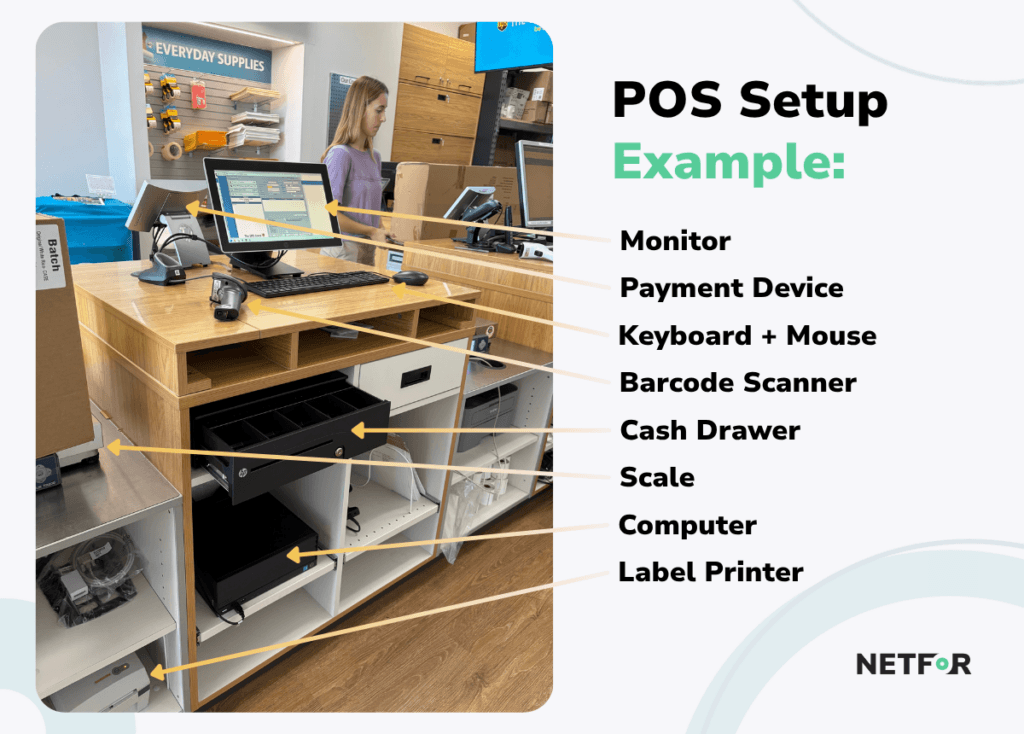
A typical POS installation includes:
- POS terminals, both countertop units and mobile handhelds
- Payment devices and pin pads, such as those from Verifone and Adyen
- Receipt printers, cash drawers, and barcode scanners
- Kitchen display systems (KDS) for quick-service restaurants, which replace paper tickets in the kitchen with digital order screens
- Self-checkout kiosks
- Network gear, including routers, switches, Wi-Fi access points, and cellular backup
- POS Software configuration and payment setup
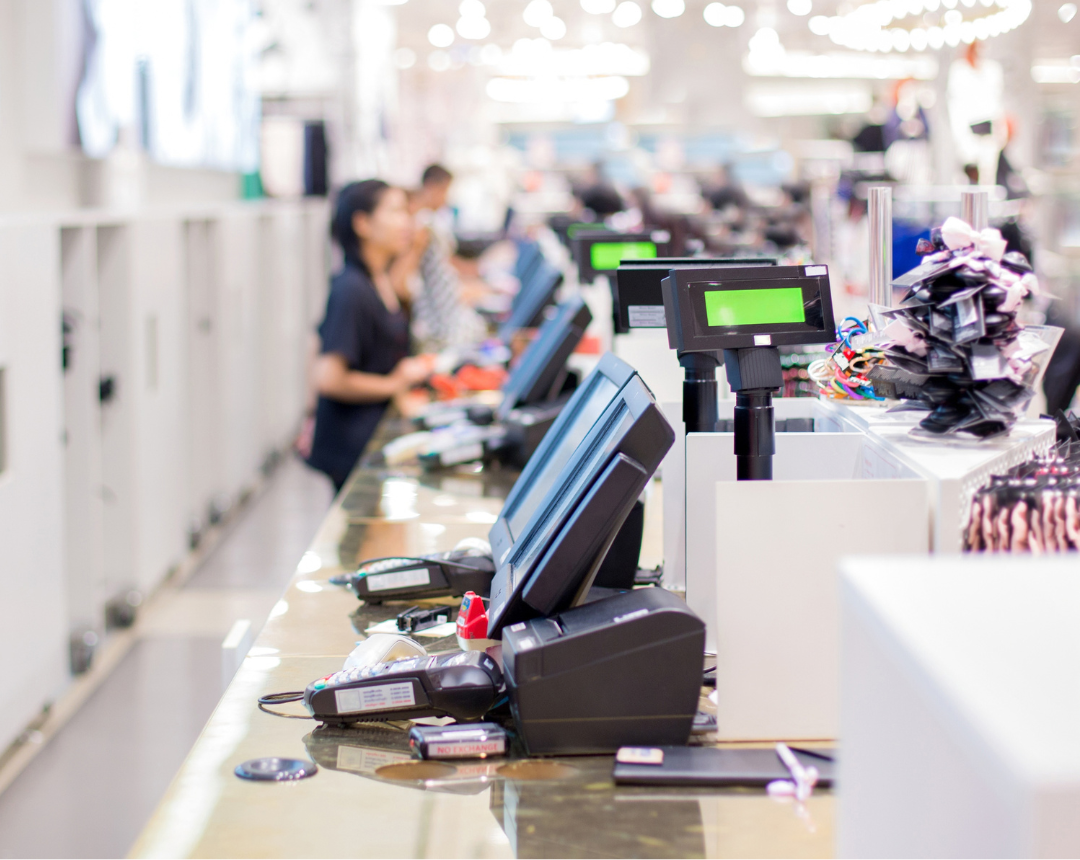
What this looks like in practice depends on the format. A POS system at a QSR counter might include two terminals, a KDS, a drive-thru handheld, and a network printer. A specialty retail store might need four checkout lanes, each with a scanner, cash drawer, and pin pad.
Countertop terminals still make up the majority of deployed POS hardware, at roughly 65%, while mobile POS devices account for about 35% and represent the fastest-growing category as brands add handhelds for tableside ordering and line-busting (Strategic Market Research, 2025). Enterprise-grade hardware typically lasts five to seven years, while tablets and peripherals have a shorter three-to-five-year lifespan (RIS News, 2025).
How to Set Up a POS System: Step by Step
Setting up a POS system follows a predictable sequence, whether you're outfitting one store or a hundred.
- Site survey: Check counter space, power outlets, and where the internet line enters the building.
- Network and cabling prep: Run wired connections for fixed terminals, confirm internet speed, and install cellular backup.
- Staging and imaging: Load software, settings, and payment credentials onto devices before they ship to the store.
- Hardware install: Mount terminals, pin pads, printers, cash drawers, and scanners.
- Network and peripheral setup: Connect devices to the network, pair printers, and link the KDS.
- Payment testing and compliance checks: Run test transactions (chip, tap, and offline) and log every payment device for PCI DSS.
- Training and go-live support: Train staff, then keep a technician available through the first busy shift.
Steps one through three happen before install day ever starts, and that's where most of the outcome is decided. Fixed terminals should always run on wired connections; Wi-Fi is for handhelds only, since stationary hardware needs the stability that a hardwired Cat6 drop provides.
Payment Card Industry Data Security Standard (PCI DSS), the security framework that governs how payment devices are installed and inspected, asks for three specific things on install day under its v4.0 Requirement 9.5:
- A log of every payment device by serial number and location.
- A physical inspection for tampering
- Verification of the technician's identity before they touch any payment equipment (PCI DSS Guide, 2025).
How long does POS installation take?
Industry standard says one terminal typically takes one to two hours on site. A single store with a few checkout lanes usually installs in one six-to-eight-hour shift, with two to six weeks between signing a contract and going live. A multi-location rollout runs three to twelve months, depending on how many sites are involved and how complex each one is.
A common example is a pin pad swap using Verifone or Adyen devices, something that sounds simple but still requires PCI logging and a functional test transaction. Another is cellular backup, often through a device like Cradlepoint, which keeps a store taking payments even when the primary internet connection drops. That single piece of infrastructure, paired with reliable network readiness, is often the difference between a brief hiccup and a full outage.
Field technicians handling these installs also increasingly manage self-checkout kiosks, which add another layer of network and payment configuration to the same site visit.
Where POS Installations Go Wrong
For a single store, a failed install is a bad day. You reschedule, you lose a few hours of selling time, and you move on. At 50 stores, that same failure becomes a pattern, and it's one that multiplies labor costs and delays go-live across the entire rollout.
Install-day failures almost always trace back to preparation, not the software itself. A failed install typically means a second technician visit, added cost, and more IT downtime. That downtime hits customers directly, showing up as longer lines, cash-only service, or missed loyalty sign-ups.
What causes POS installation delays?
Four issues account for most installation problems:
- Missing infrastructure: No cables, no power, or internet service that was never activated.
- Wrong technician for the job: Sending a cabling installer to handle payment and network configuration.
- Underestimated time: The install runs into store operating hours and gets stopped mid-process.
- Unnecessary visits: A technician gets dispatched for a problem that turns out to be an internet outage or a loose cable, not a hardware fault.
Picture a QSR cutover that runs long and bleeds into the lunch rush, forcing the team to halt work while the kitchen display screens sit half-configured. Or a retail rollout where mounting brackets ship separately from the terminals, so the technician arrives with nothing to install.
Missing parts and infrastructure account for roughly 51% of first-visit failures, while technician skill mismatches account for another 25% (AEX Inc, 2025). Meanwhile, 17% to 20% of service visits turn out to be no-fault-found, meaning the issue could have been caught with a quick remote check before anyone was dispatched (SpotFix AI, 2025).
DIY vs. POS Vendor vs. POS Installation Company
Each installation model fits a different situation, and none of them is universally wrong. The real difference between them comes down to one question: who owns the problem when something goes wrong?
| DIY | POS Vendor | POS Installation Company (Netfor) | |
| Best fit | 1 to 2 terminals, simple setup | Single platform, network already ready | Multiple locations, mixed hardware, network work needed |
| Cabling and network | Store staff | Usually excluded | Included |
| Who fixes a failed install | You | You, plus reschedule fees | The provider |
| Consistency across sites | Low | Medium | High |
Can I install a POS system myself?
Yes, for a small store using plug-and-play hardware like Square or Clover. It gets considerably riskier once you add multiple checkout lanes, a kitchen display system, network switches, or payment compliance requirements that demand more technical oversight.
How much does POS installation cost?
DIY carries no direct install fee, but it uses store and IT staff time that could be spent elsewhere. Vendor-led installs often run $500 to $2,000 per store (Toast Support, 2025). Full-service installs that include cabling and network setup cost more upfront, but they cover the work most vendors explicitly exclude.
What do POS installation services like Netfor’s include?
A full-service POS installation typically covers a site survey, cabling, hardware staging, mounting, network setup, payment testing, PCI device logging, and go-live support.
A few examples illustrate how differently vendors approach this:
- Toast charges $1,000 per technician per day for on-site onboarding. Network cables must be pre-run, or the business pays $50 per drop. A short-notice reschedule costs $300, and failing a site inspection on install day triggers a $500 penalty (Toast Support, 2025).
- Square offers $0 onboarding for standard setups, but the customer handles all cabling and mounting (UpMenu, 2026).
- Clover install packages vary by reseller, typically running $300 to $1,000 per store (Foodship, 2025).
- Technician marketplaces like Field Nation and WorkMarket offer broad geographic coverage with variable technician consistency from job to job.
- POS resellers and MSPs often rely on a POS installation services partner as white-label install labor, so they can sell the system without hiring and managing their own technicians.
About 55% to 65% of single-location businesses handle their own POS installation (UpMenu, 2026), which tracks with how manageable a simple, single-terminal setup really is.
Scaling POS Installation Across Locations
At one store, speed matters most. At 50 or 500 stores, consistency matters more. Older locations in a network often differ in layout, power capacity, and existing cabling, and a proper site survey catches those differences before install day, not during it.
Staging hardware centrally, rather than configuring it on-site, shifts the heaviest technical work off the clock at the store. Technicians arrive to mount and test pre-configured devices instead of troubleshooting software on location. And managing one national partner under a single contract beats coordinating dozens of local vendors, each with their own pricing, checklists, and quality standards.
Technician shortages are also stretching lead times across the industry, which makes partners with an established, nationwide technician network increasingly valuable for brands that can't afford to wait.
What should you ask a POS installation company?
Before signing a contract, ask:
- Do you stage and image hardware before it ships?
- Do you handle cabling and network, or only the POS?
- How do you confirm a site is ready before dispatch?
- What is your first-visit completion rate?
- Who pays for a return visit?
- Do your technicians follow PCI DSS device logging and ID checks?
- Is pricing consistent across every market?
The UPS Store illustrates what good answers to those questions look like in practice. Before standardizing its approach, the company managed separate vendors for field services, fulfillment, and help desk, with pricing that varied by geography and stores that were set up ad hoc. After consolidating under one partner, it moved to flat national pricing, where a store in Hawaii pays the same rate as one in South Dakota. A central fulfillment hub now configures, stages, and ships every device. Support calls are answered within 60 seconds 92% of the time, and the structured model has produced roughly $500,000 in annual savings across more than 5,500 locations.
That kind of consistency depends on scale. Netfor supports this type of rollout through a technician network of more than 100,000 professionals, a First Run Rate above 95%, and more than 45,000 completed site installs, giving multi-location brands a single accountable partner instead of a patchwork of local contractors.
That same consistency shows up in how multi-site deployment and nationwide field services work together. Each new location follows the same playbook as the one before it, which is exactly what keeps a POS system installation at store 200 as clean as the one at store 1.
Protect Revenue by Getting Install Day Right the First Time
POS installation is won or lost before install day even starts. Site surveys, cabling, and hardware staging determine whether the actual cutover takes two hours or turns into an all-day disruption.
A few things are worth holding onto:
- DIY installation works well for small, simple setups, but complexity and location count change the math quickly.
- Most install failures come down to preparation gaps, not software problems.
- At scale, consistency, staging, and one accountable partner are what protect uptime across every store.
Every failed install costs selling time and triggers a second visit, and that cost multiplies across a growing footprint. Getting it right the first time, at every location, protects revenue instead of putting it at risk.
Netfor handles the full installation process, from cabling and staging to go-live support, backed by a nationwide technician network and consistent pricing in every market. Planning a POS rollout? Talk to Netfor Field Services.