
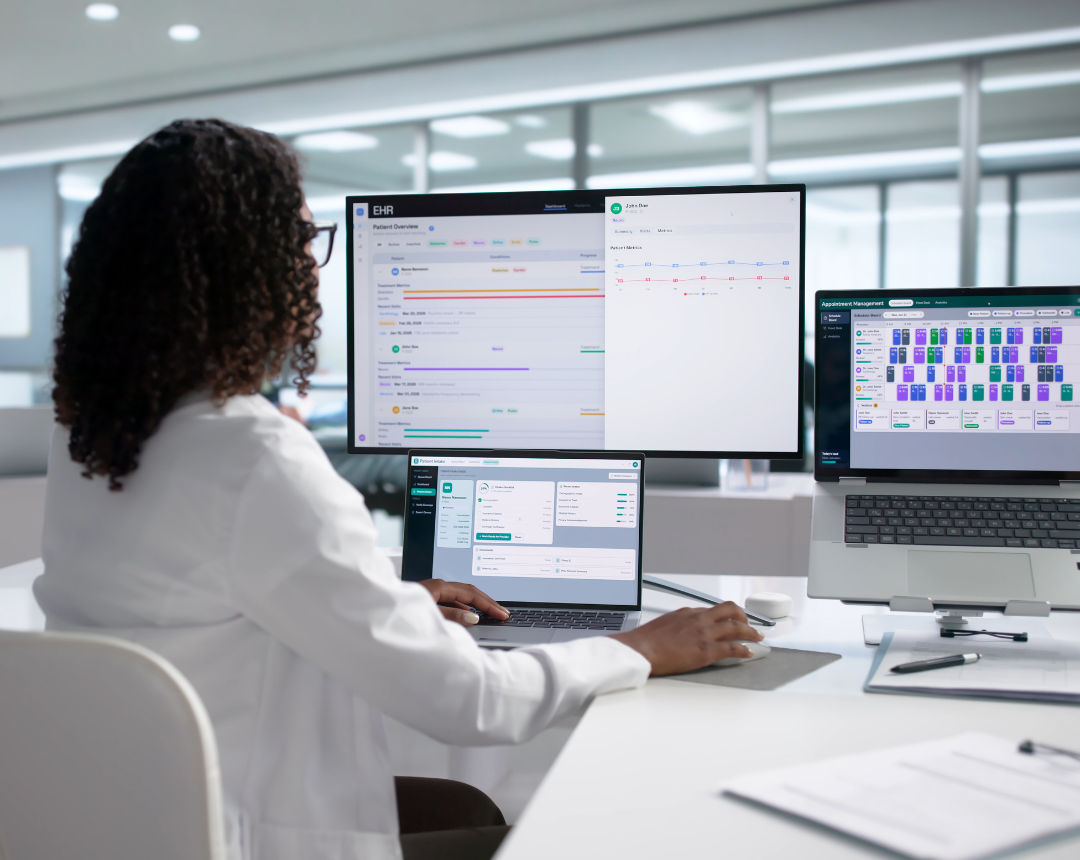
TL;DR: A patient intake solution is software or a managed service that collects and verifies patient information before a visit, including demographics, insurance, medical history, consent, and scheduling details. Most patient intake solutions fall into three categories: digital intake forms and kiosks, AI patient intake that uses a conversational AI assistant to handle calls and messages, and managed patient access that pairs AI with trained human staff. The right choice depends on call volume, EHR integration needs, after-hours demand, and how much of the intake process a practice wants to take off the front desk.
A new patient calls at 7:45 AM. She waits on hold, hangs up after a minute, and books with the practice down the road. The practice never knows the call happened.
This scenario repeats itself across specialty outpatient clinics every day. Many practices have already modernized their paperwork with digital forms, yet the phone remains the first and most common entry point for new patients. It is also where those patients disappear. More than 60% of patients still schedule appointments by phone, and 85% of callers who hang up before reaching a person never call back (VAIU AI, 2026).
This guide compares the three main types of patient intake solutions, explains what EHR integration should actually accomplish, and lays out how to implement a new patient intake system without disrupting the front desk. A multi-location pain management practice running eClinicalWorks serves as the proof point throughout. For a deeper look at the access problem itself, see patient access solutions for specialty practices.
What Does a Patient Intake System Actually Do?
A patient intake system manages the full intake process, not just the paperwork patients fill out in the lobby. That process includes five connected steps:
- Scheduling: Capturing the appointment request and matching it to the right provider, location, and visit type.
- Demographics: Collecting name, contact information, and other identifying details.
- Insurance eligibility verification: Confirming active coverage and benefits before the visit.
- Medical history: Gathering relevant clinical background so providers arrive prepared.
- Consent: Securing signed authorizations and disclosures required before treatment.
Manual intake breaks down at nearly every one of these steps. Phone queues back up during peak hours. After-hours calls roll to voicemail. Front desk staff re-key data from paper forms or PDFs into the EHR. Insurance checks that should take seconds instead take minutes on hold with a payer.
Consider two common scenarios. A new patient calls after hours, reaches voicemail, and books with a different practice the next morning. Or a front desk team retypes insurance IDs from a scanned PDF into the EHR, a transposed digit slips through, and the claim comes back denied weeks later. The hidden cost here is not paperwork. It is lost patients and the staff burnout that manual workload creates.
Manual intake takes 15 to 20 or more minutes per new patient (PROSPER AI, 2026), and front office staff turnover reached 40% in 2022 (MGMA, 2023). Replacing a front office employee can cost up to 200% of their annual salary once recruiting, onboarding, and billing errors during ramp-up are factored in (CAREVMA HEALTH, 2026). About 11% of patient calls arrive after hours (KEONA HEALTH, 2026), yet only 19% of U.S. healthcare call centers operate 24/7 (RUN2 AI, 2026).
What does manual patient intake cost a practice?
Manual intake costs practices in three places: staff time, lost patients, and denied claims. Front desk teams spend 15 to 20 minutes on each new patient, callers who reach hold or voicemail often book elsewhere, and registration errors are the largest single cause of claim denials. For a closer look at building a repeatable intake framework, see Patient Intake Management: A Buyer's Guide for Specialty Clinics.
What Are the Different Types of Patient Intake Solutions?
Practices generally choose from three categories of patient intake solutions, plus a hybrid model that combines all three.
- Digital intake forms and kiosks: What it solves: Pre-visit data capture and shorter lobby wait times. What it misses: Phone queues, since forms cannot answer a call. Who it fits: Practices where the lobby, not the phone, is the bottleneck.
- AI patient intake: What it solves: A conversational AI assistant answers calls and messages, books appointments, and runs 24/7. What it misses: Complex scheduling exceptions without clear escalation rules in place. Who it fits: Practices with high call volume and relatively standard scheduling needs.
- Managed patient access: What it solves: Trained human staff, often outsourced, handle intake and scheduling with judgment AI cannot replicate. What it misses: Cost-effective round-the-clock coverage, since staffing every hour gets expensive. Who it fits: Practices where complex specialty rules require a human decision-maker.
- Hybrid model: AI handles routine volume, digital forms capture history ahead of the visit, and trained staff handle exceptions.
- Netfor’s Managed Patient Access is built on this model: AI patient intake answers routine calls around the clock, and Netfor’s onshore patient access team takes the calls that need a person.
A practice that rolled out digital forms alone typically sees lobby times drop, while missed calls remain unchanged. By contrast, a hospital system that deployed voice AI reduced call abandonment within weeks of launch.
Portal-based form completion runs just 25% to 33%, while login-free SMS pre-registration reaches 65% to 80% or higher (ZOCDOC, 2026). Only 19% of U.S. medical practices currently use conversational AI for patient communication (DIALOG HEALTH, 2026), even as the healthcare AI voice agent market grows at a 37.79% compound annual growth rate (CAGR) through 2030 (GRAND VIEW RESEARCH, 2025). One health system using voice agents reduced call abandonment from 34% to 14.9% (AI HEALTHCARE 360, 2026).
Can AI replace front desk staff for patient intake?
No, and it should not try. AI patient intake handles routine calls such as booking, rescheduling, and directions, which frees staff for complex scheduling, referrals, and patients who need a person. The best results come from AI and people working together. Learn more about how a conversational AI assistant fits into a modern front desk, or explore AI patient intake and AI intake in more detail.
Comparing the Three Types of Patient Intake Solutions
Digital forms and kiosks (similar to those offered by Phreesia, Yosi Health, and eClinicalWorks' own healow tools) excel at pre-visit data capture. Messaging-led platforms like Klara, OhMD, and Luma Health extend that reach into texting and reminders. Each of these is a credible solution for what it does. None of them, on their own, solve the phone-based gap where most specialty referrals and scheduling requests originate.
| Digital Forms & Kiosks | AI Patient Intake | Managed Patient Access | Hybrid (AI + People) | |
| Answers the phone | No | Yes, 24/7 | Yes, during staffed hours | Yes, 24/7 with human backup |
| Handles complex scheduling | Low | Moderate | High | High |
| After-hours coverage | Form submissions only | Full | Costly | Full |
| Best fit | Lobby and paperwork problems | High routine call volume | Complex specialty rules | Multi-location specialty groups |
The hybrid column is where Netfor operates. Netfor brings more than 30 years of running customer service operations to the human side of the model, so complex calls go to a trained team instead of a voicemail box. Here is when each approach tends to make sense:
- Forms: The phones are already under control, and the lobby is the actual bottleneck.
- AI only: Call volume runs high, and scheduling rules are relatively simple.
- Managed human team: Every call requires clinical judgment or complex coordination.
- Hybrid: Multi-location practices face heavy call volume alongside specialty scheduling rules.
How Do You Choose a Patient Intake Solution That Works With Your EHR?
The quality of EHR integration determines whether a patient intake solution actually saves time or simply moves the same work somewhere else. The key distinction is discrete data writes versus PDF uploads. If intake data lands in the EHR as a flat PDF, staff still have to open it and retype insurance IDs, histories, and contact information by hand.
A few integration standards matter here, explained in plain terms:
- FHIR APIs (Fast Healthcare Interoperability Resources) are modern, secure web connections that let systems exchange patient data directly.
- HL7 scheduling messages keep a third-party intake system and the practice's appointment book in sync.
- EDI 270/271 transactions run electronic insurance eligibility checks in real time, instead of a staff member calling the payer.
Registration and eligibility errors remain the top cause of claim denials, so integration quality shows up directly on the revenue side of the practice, not just in staff workload.
Before signing with any intake vendor, ask these five questions:
- Does intake data write to discrete EHR fields, or does it upload as a PDF?
- Does the system write confirmed appointments back to the schedule automatically?
- Does it run real-time insurance eligibility checks?
- Will the vendor sign a Business Associate Agreement (BAA)?
- When does a call escalate to a human, and how quickly does that happen?
Netfor Managed Patient Access was designed around these questions. It connects directly with eClinicalWorks, runs real-time intake around the clock, and escalates complex calls to trained staff instead of leaving patients stuck in an automated loop.
The PDF trap catches many practices off guard. A clinic "goes digital" with a new intake tool, only to discover staff are still typing every insurance ID by hand because the data never reached a structured field.
Manual eligibility verification costs $8.57 per transaction compared to $2.00 for an electronic check, and the gap widens for specialists, at $13.61 manual versus $2.32 electronic (CAQH, 2024). Electronic verification also saves about 12 minutes of staff time per check (CAQH, 2024). Registration and eligibility errors cause 26.6% of claim denials (CHANGE HEALTHCARE, 2022), and 86% of denials are potentially avoidable (BECKERS HOSPITAL REVIEW). eClinicalWorks holds roughly 12% of the U.S. ambulatory EHR market, second only to Epic (DEFINITIVE HEALTHCARE).
How does a patient intake system integrate with eClinicalWorks?
Modern patient intake systems connect to eClinicalWorks through FHIR APIs on its healow open platform, as well as through HL7 scheduling messages. The strongest integrations write patient demographics, insurance, and appointments directly into discrete EHR fields so staff do not have to re-enter data. Always ask a vendor whether data arrives as structured fields or as an attached PDF.
How do I choose the right patient intake solution for my practice?
Start with where your intake process actually breaks. If patients are lost on the phone, prioritize AI patient intake or a hybrid model. If the lobby is the bottleneck, digital forms may be enough on their own. In either case, require direct EHR integration and a signed BAA before moving forward. For a complete evaluation checklist, see Patient Intake Management: A Buyer's Guide for Specialty Clinics, and learn more about eClinicalWorks integration.
Is Your Practice Ready for AI Patient Intake?
AI readiness is not about how impressive a demo looks. It depends on documented scheduling rules, usable call data, integration access, and a named person who owns performance.
Many AI pilots stall for a simple reason: the tool cannot finish the job. If a voice assistant can search for open appointment slots but cannot actually book them, staff still have to complete every call manually, and the practice gains nothing.
Patient acceptance is encouraging, particularly for administrative tasks rather than clinical advice. This holds true even among older patients, as long as the AI responds quickly and transfers to a person on request.
Before piloting an AI patient intake system, confirm these readiness items:
- Scheduling rules are documented by provider and by location.
- The practice knows its call volume, peak hours, and abandonment rate.
- The EHR supports API access for scheduling write-back.
- A named person owns AI performance and feedback.
- Escalation paths to staff are clearly defined.
- The vendor will sign a BAA and supports AI disclosure at the start of calls.
For example, one documented AI pilot could search open appointment slots but could not book them, forcing staff to complete every call anyway. In another case, an older patient was comfortable receiving an AI reminder call but wanted a quick handoff to a person for a scheduling question. That pattern is common and should shape how a practice designs its escalation rules.
Only 20% to 30% of healthcare AI pilots reach full deployment (DIALOG HEALTH, 2026). Practice leaders' top concerns center on feedback and governance (88%), HIPAA and privacy (87%), and EHR integration (84%) (DIALOG HEALTH, 2026). Encouragingly, 89% of older adults are open to AI appointment reminders (DIALOG HEALTH, 2025). On the compliance side, the FTC Impersonation Rule bars AI from claiming to be human (FTC, 2024), and California AB 3030 requires AI disclosure in certain patient communications (STATE OF CALIFORNIA, 2025).
Is AI patient intake HIPAA compliant?
It can be, but compliance depends entirely on the vendor and the setup. The vendor must sign a BAA, encrypt patient data, limit data collection to what intake actually requires, and maintain audit trails. Many states also require consent for call recording, so AI intake calls should open with a recording and automation disclosure. For a broader readiness framework, see AI Readiness Assessment 101.
Will patients talk to an AI intake assistant?
Most will, for administrative tasks like scheduling and reminders, including many older patients. Patients get frustrated when the AI responds slowly, sounds robotic, or makes it hard to reach a person. Fast responses and an easy transfer to staff drive acceptance.
How to Implement Patient Intake Solutions Without Disrupting the Front Desk
A phased rollout protects the front desk from disruption while giving the practice real proof before scaling further. A practical four-phase approach looks like this:
- Audit (weeks 1 to 2): Document scheduling rules, appointment types, and escalation triggers.
- Integrate (weeks 3 to 4): Connect to the EHR, map discrete fields, and test eligibility checks.
- Pilot (weeks 5 to 6): Launch at one high-volume location, review call transcripts, and tune escalation rules.
- Scale (weeks 7 to 12): Roll out to every location and train staff to handle exceptions.
Once live, track these key performance indicators (KPIs) from day one:
- Call abandonment rate
- Average speed of answer
- Pre-visit form completion rate
- Check-in time
- First-pass clean claim rate
- No-show rate
A common failure point is a digital form that takes 15 minutes to complete. Patients abandon it halfway through, and the practice ends up worse off than before, with an incomplete record and a frustrated patient.
A multi-location pain management practice avoided this by connecting its AI intake system directly to eClinicalWorks as part of a phased implementation, giving staff and leadership confidence in the rollout before expanding it across every location. Read more about how The Pain Experts scaled patient access with AI-powered intake.
A typical multi-location rollout takes 6 to 12 weeks (INNOBOT HEALTH, 2026). Forms longer than 10 minutes can drop completion rates from 80% to under 40% (ZOCDOC, 2026). The average practice runs a 7% call abandonment rate, against a target under 5% (PATIENTPRISM, 2026).
How long does it take to implement a patient intake solution?
Most multi-location practices can roll out a cloud-based patient intake solution in 6 to 12 weeks. A single-location pilot can be validated in about four weeks. Complex or heavily customized EHR setups can take up to 90 days.
Fix the Front Door First
Choosing among patient intake solutions comes down to matching the solution to the exact place where a practice's intake process breaks. Digital forms fix paperwork. AI fixes availability. Trained staff handle complexity that neither forms nor AI can resolve on their own. Discrete EHR integration is the line between actually saving staff time and simply moving the same work to a different screen. A pilot first, scale-later approach protects the front desk and gives leadership proof before expanding across every location.
Practices that fix the front door capture more new patients, reduce claim denials, and give front desk teams real time back in their day.
Netfor Managed Patient Access combines AI patient intake with trained human staff and direct EHR integration, so routine calls are automated while complex patients still reach a person. The goal is simple: Netfor protects the front desk, and the practice's growth becomes the story worth telling.
Explore Managed Patient Access to see how a hybrid model fits your practice.