
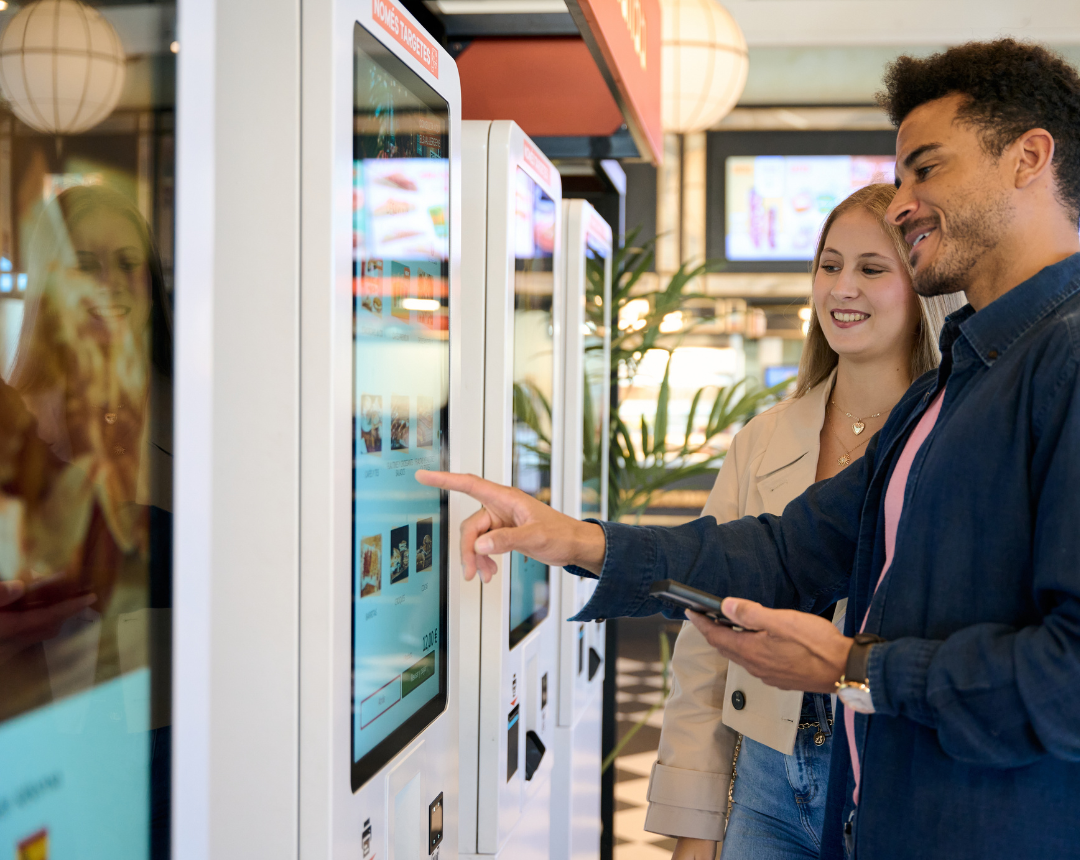
Quick answer: Kiosk installation services cover everything needed to take a self-service kiosk from delivery to a working unit in a store or restaurant. A professional installation includes a site survey, power and low voltage cabling, secure mounting, network setup, POS integration, testing, and photo documentation. For multi-location operators, nationwide kiosk installation services add a standardized rollout playbook, a single point of contact, and consistent technician quality across every site.
The kiosks arrived weeks ago. They're still boxed up in the back room because the store doesn't have a dedicated circuit, there's no network drop at the front counter, and nobody on staff can wire the unit into the POS system.
This scene repeats across thousands of locations every year. The bottleneck isn't the hardware. It's the site work every kiosk depends on: power, low voltage cabling, network connectivity, and POS integration.
This guide breaks down what kiosk installation services include, what drives rollout costs, how installation changes at scale, and what it takes to keep kiosks running long after go-live.
Why Self-Service Kiosks Are Outpacing Installation Capacity
Self-service kiosks have shifted from a convenience feature to core operating infrastructure. Operators treat them the same way as a POS terminal or kitchen display: essential to running the store.
The numbers reflect this shift. McDonald's completed kiosk deployments across roughly 14,000 US restaurants. Shake Shack's kiosks became its largest in-store ordering channel, accounting for over 50% of in-store sales (Shake Shack Annual Report, 2025). In grocery retail, 33% of supermarket transactions ran through self-checkout in 2025 (FMI, 2025).
Three forces are accelerating adoption at once. QSR brands are competing on speed and convenience, pushing investment toward front-of-house ordering. Labor shortages are driving operators to automate wherever possible, with 62% of restaurant operators reporting they don't have enough staff to meet current demand (National Restaurant Association, 2023). And kiosk ordering consistently drives a 12% to 20% lift in average check size (Tillster / Kiosk Industry, 2025).
Purchasing kiosks is the easy part. Getting them installed and working correctly at every location is where most rollouts slow down.
What Kiosk Installation Services Include
Installing a kiosk is a sequence of steps, not a single task. Skipping or rushing any one of them is usually what causes a kiosk to sit unused after delivery.
Most problems trace back to power, network, or mounting conditions that weren't verified before installation day. Two regulatory considerations also apply: ADA standards govern kiosk placement and reach height, and PCI DSS requirements apply to any kiosk that accepts card payments.
The kiosk installation process:
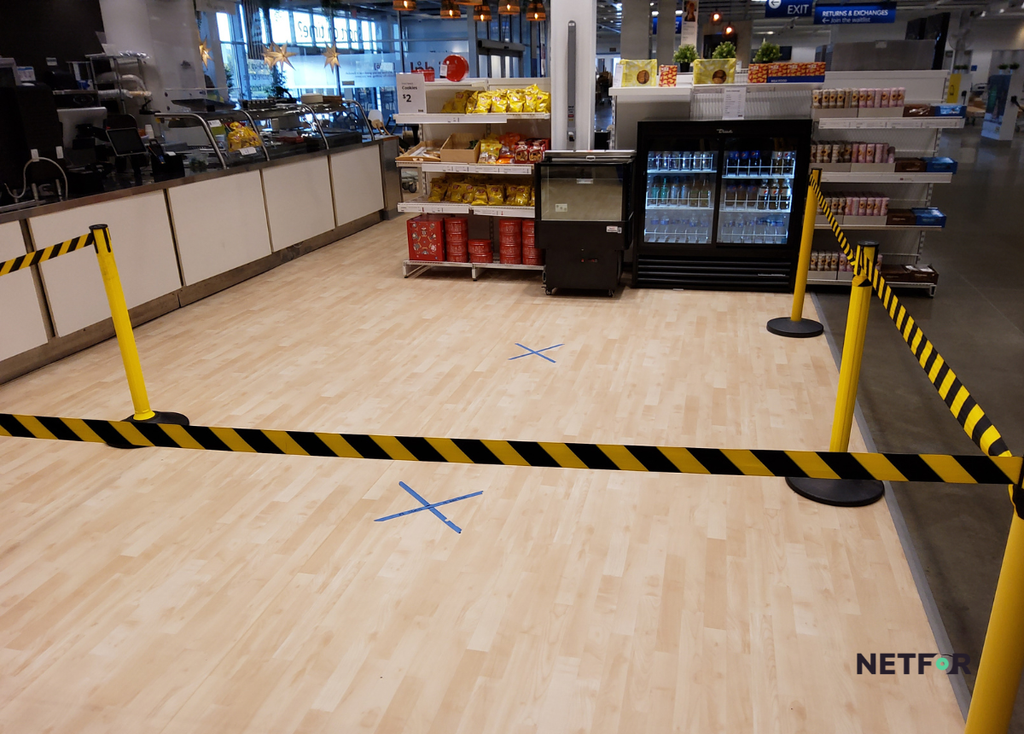
- Site survey. Confirm power, network access, floor structure, placement, and site access before anything ships.
- Power. Run a dedicated electrical circuit, positioned away from equipment that introduces electrical noise.
- Low voltage cabling. Pull a hardwired Cat6 data drop from the network rack to the kiosk location.
- Staging and configuration. Image, configure, and test each kiosk before it ships to the site.
- Mounting and ADA placement. Anchor the unit securely at a compliant reach height with clear floor space in front.
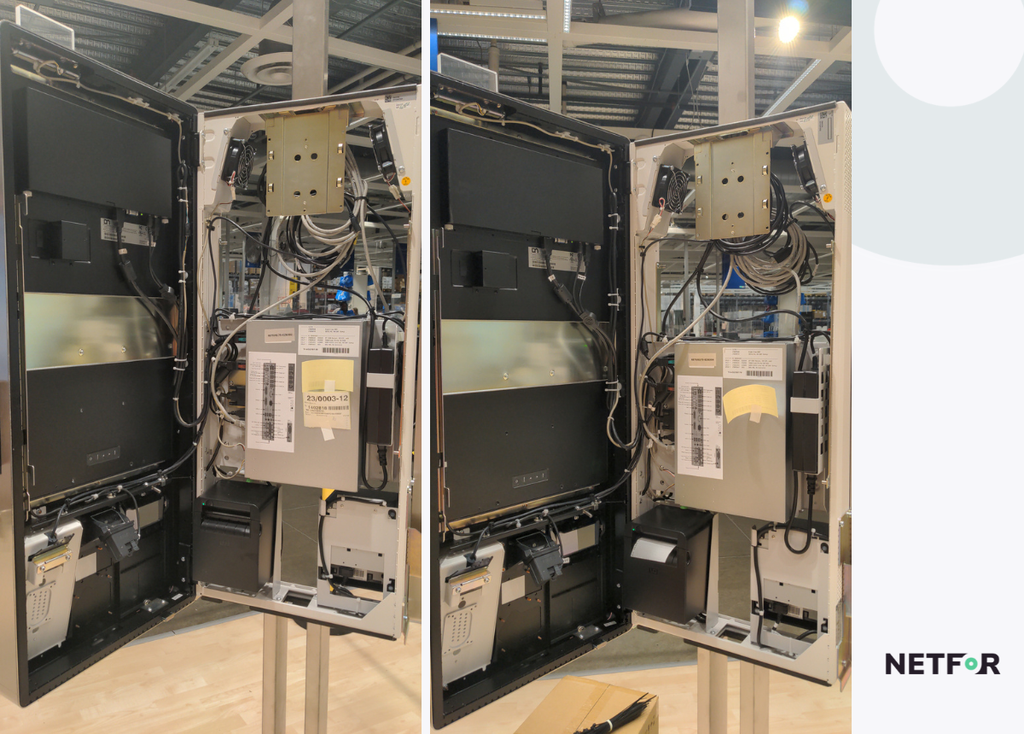
- POS and payment setup. Connect the kiosk to the POS, configure the card reader, and log the device serial number.
- Testing and go-live. Run test orders, payments, receipt printing, and confirm kitchen display routing.
- Photo documentation and closeout. Deliver photos and test results to the client as proof of a completed, working installation.
How Long Does Installation Take?
A pre-staged kiosk takes about 30 to 60 minutes to install. A kiosk configured on-site takes 2 to 4 hours. A typical store with 2 to 4 kiosks needs 3 to 8 hours of technician time when power and network are already in place. Outdoor units generally require 1 to 2 days.
What Infrastructure Does a Kiosk Need?
A kiosk needs a dedicated electrical circuit, a hardwired network connection, a structurally sound mounting surface, and a confirmed POS integration. Up to 60% of kiosk deployment delays trace back to gaps in site infrastructure rather than the hardware itself (Olea Kiosks, 2025). Pre-delivery site surveys reduce later service dispatches by 30% to 60%, making the survey step one of the highest-value parts of the entire process.
Why a Kiosk Never Works Alone
A kiosk depends on the network it connects to, the POS it integrates with, the power circuit that feeds it, and often the screens and cameras around it. This is why kiosk rollouts frequently force broader store-level technology upgrades that weren't in the original plan.
Every separate system typically means a separate vendor, a separate schedule, and a separate point of failure. A store that needs a network drop, a POS update, POS installation, and a digital menu board change can end up coordinating four different vendors and four different visits. One technician who handles the full scope in a single trip removes that burden and lowers both cost and disruption.
The technology a kiosk depends on:
- Network connectivity: Kiosk payments should run on a hardwired, segmented connection. Cellular backup keeps orders flowing if the primary internet drops.
- POS system: The kiosk is only as reliable as its connection to the point-of-sale system behind it.
- Digital Signage: Menu items and pricing need to stay consistent across kiosks and screens.
- Security cameras: Self-checkout kiosks carry higher theft risk. Adding a camera during the same visit builds in loss prevention without a second dispatch.
- Low voltage and power: The cabling, conduit, and circuits that support every system listed above.
What Drives Kiosk Installation Cost?
Key cost variables include whether hardware arrives pre-staged, site readiness, indoor versus outdoor installation, the number of trades involved, and payment compliance scope. Industry data suggests 35% to 45% of kiosk rollout budgets go toward infrastructure, cabling, and power rather than the hardware itself (WWT, 2025).
Failed first visits compound costs quickly. A direct truck roll runs $200 to $300, but the fully loaded enterprise cost, including dispatch, scheduling, and overhead, reaches closer to $1,000 (TSIA via Smarty, 2025). The industry average first-time fix rate sits around 75%, meaning roughly one in four visits requires a return trip (Aberdeen Group via PTC). When a kiosk installation fails because the network wasn't ready, that site's cost effectively doubles while the unit sits idle.
How to Roll Out Kiosks Across Multiple Locations
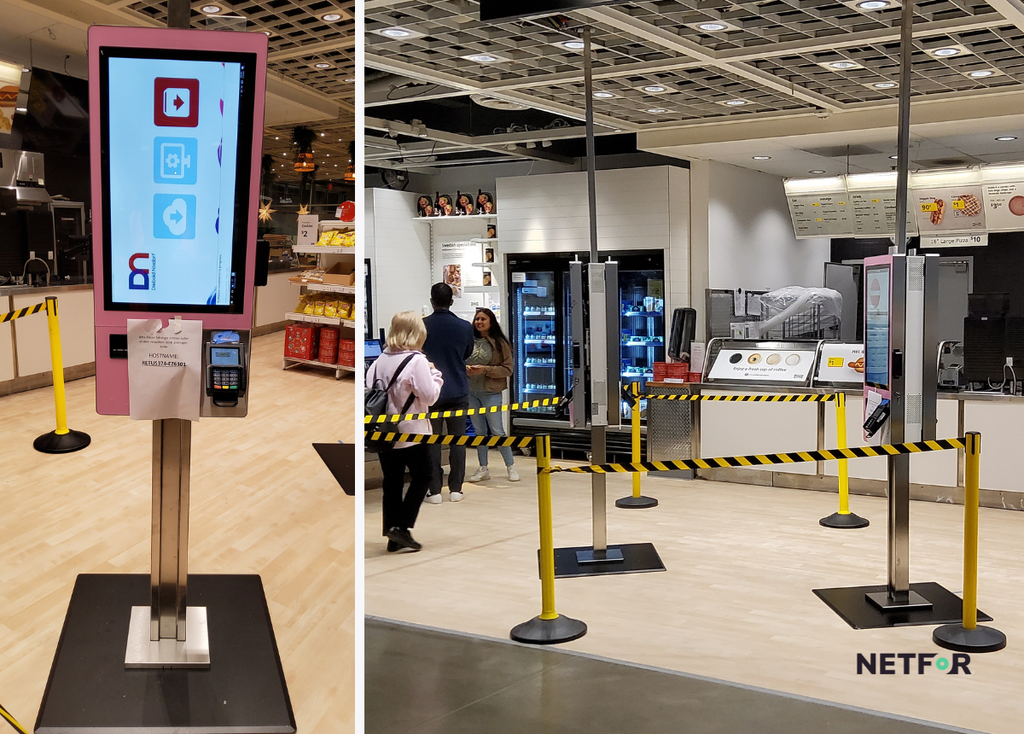
A delivery date is not a go-live date. That distinction matters most once a rollout scales beyond a handful of stores. Nationwide kiosk installation services work in phases: lock the setup first, pilot at a small number of representative locations, then roll out in waves.
The three-stage rollout:
- Freeze (4 to 6 weeks). Lock software, menus, POS integration, and hardware configuration before any site work begins.
- Pilot (2 to 4 weeks). Install at 2 to 5 representative locations and resolve issues before scaling further.
- Waves. Roll out in groups of 8 to 15 stores with buffer time between each wave to absorb lessons learned.
Most failed first visits are preventable. Common causes include missing parts, no site access on the scheduled day, network not ready when the technician arrives, and technician skill gaps in low voltage or POS work. A single point of contact and standardized per-site pricing keep a large rollout predictable rather than chaotic.
How to Choose a Kiosk Installation Provider
Look for a partner who offers:
- Nationwide coverage with vetted, consistent technicians
- Ability to handle cabling, power, mounting, POS, and payment setup without subcontracting each trade separately
- A dedicated project manager and single escalation point
- Standardized scope and per-site pricing
- Photo documentation and test results delivered at closeout
- Proven experience managing multi-site rollouts
Netfor's work with AIMCO, a 956-site rollout, demonstrates what this model looks like at full scale. Across its broader field service network, Netfor maintains 60,000+ technicians, has completed 40,000+ sites, and holds a 95%+ First Run Rate, compared to the industry average of around 75% and best-in-class providers reaching 88% (Aberdeen Group via PTC).
For operators managing more than a handful of sites, the coordination overhead of marketplace labor, roughly $65 to $95 per hour plus platform fees, often costs more in management time than a consolidated field services model.
What Happens After Your Kiosks Go Live?
Installation is the start of a kiosk's operational life, not the end of the project. Once kiosks handle a meaningful share of daily orders, downtime hits the business far harder than it would at a location still running staffed registers.
Consider a QSR where touch screen kiosks process half of all orders. If two go down during the lunch rush, that location loses half its ordering capacity at exactly the moment it needs full capacity most.
Hardware represents only 25% to 35% of a kiosk's total cost of ownership over a 5-year period (MetroClick, 2026), with the remainder going toward software, maintenance, and support. Over 35% of premature kiosk failures stem from skipped preventive maintenance (Olea Kiosks). Planning for the full lifecycle from day one is what keeps kiosks running reliably for years.
Post-install support should include:
- Break/fix response from on-site technicians
- Preventive maintenance and cleaning
- A spare unit pool for fast hardware swaps
- Hardware refresh planning on a 3 to 5 year cycle
- A retail or restaurant help desk for first-line troubleshooting
Protecting the Revenue Kiosks Were Purchased to Create
Kiosk rollouts stall at the site, not at the hardware. A thorough installation covers the site survey, power, cabling, mounting, POS integration, testing, and documentation. Skipping any one of those steps is usually what delays go-live.
Because a kiosk depends on the systems around it, one technician who handles the full scope in a single visit will consistently outperform coordinating several separate vendors. Multi-location operators get the best results by piloting first, then rolling out in deliberate waves. And installation day is only the beginning: planning for the full lifecycle, not just the first visit, is what keeps kiosks running and revenue protected.
Netfor's nationwide field services network handles both the kiosk and the technology around it, backed by one point of contact, standardized scope, and a 95%+ First Run Rate.
Planning a kiosk rollout? Talk to Netfor's field services team.