
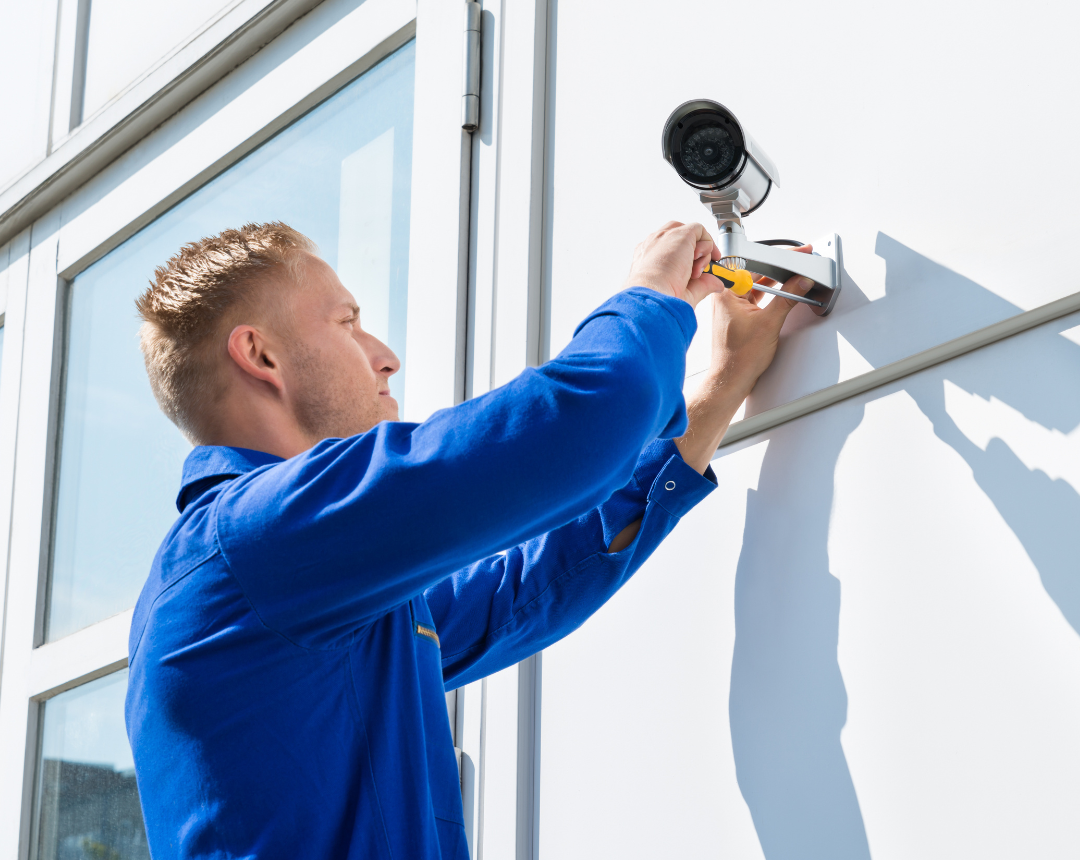
A security camera installer plans, mounts, wires, and configures CCTV and IP camera systems so they capture usable footage and integrate with existing network and power infrastructure. Professional security camera installation includes a site survey, structured cabling, camera placement based on coverage needs, and a post-install walk test to confirm functionality. Commercial and business installations differ from residential jobs in scale, compliance needs, and integration with systems like POS and access control. For multi-location businesses, working with a single installation partner standardizes camera quality, placement, and support across every site instead of relying on separate local vendors.
Most businesses shop for a security camera installer the same way they'd shop for a handyman: on price and availability. That approach works for one location. It falls apart at five.
Camera installation looks simple from the outside. Mount the camera, run a cable, check the feed. But a commercial security camera installation is a network infrastructure project. A poorly cabled or misconfigured system fails quietly, and most businesses don't find out until the footage they needed isn't there. By then, the incident has passed, the evidence is gone, and the system that was supposed to protect the business couldn't do its job.
This guide breaks down what a professional security camera installer actually does, what separates a commercial-grade install from a basic one, and what multi-location operators need to standardize across every site. Whether you're evaluating security camera installation companies for the first time or looking to replace a fragmented local vendor approach, this is the buying criteria that matters.
What Does a Security Camera Installer Do?
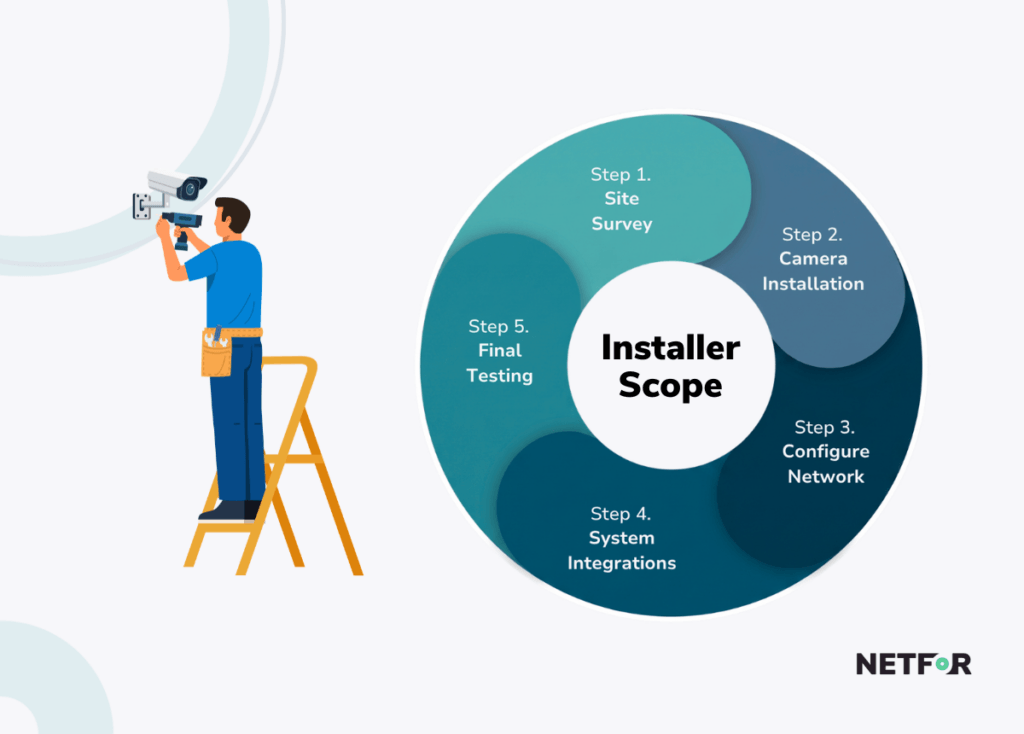
A security camera installer does more than mount hardware to a wall. The full scope of professional security camera installation covers site assessment, camera and cable placement, network configuration, and system testing before any footage is recorded.
The shift from analog CCTV to IP-based systems has changed what the job demands. An IP camera, which is a network-connected camera that transmits digital video over Ethernet rather than older analog coaxial cable, requires the installer to understand network addressing, switch configuration, and storage integration. Mounting a camera takes minutes. Configuring it correctly, labeling it, and verifying it records at the right resolution with the right retention settings takes significantly longer.
The global CCTV installation services market reflects how seriously organizations are taking this work. It was valued at USD 32.4 billion in 2025 and is projected to reach USD 68.7 billion by 2034, growing at an 8.7% CAGR (Dataintelo, 2025).
What a professional installer's scope typically includes:
- Site survey and coverage planning based on facility layout and risk zones
- Camera and cable installation with correct mounting heights for facial capture
- Network configuration, static IP addressing, and NVR integration
- POS, access control, or alarm system integration
- Post-install testing, walk-through, and full system documentation
The difference between a basic camera mount and a full professional install is not cosmetic. It determines whether the system works when it matters.
What Should You Look for in a Professional Security Camera Installation Company?
Most surveillance system failures do not trace back to the camera hardware. They trace back to how the system was installed.
Approximately 65% of commercial surveillance system failures are linked to power supply or network infrastructure issues, not the cameras themselves (Edviston, 2025). Loose terminations and poor cable connections cause nearly 70% of physical network-related failures (Vas Technologies, 2025). A camera rated for years of continuous service can fail within months when installed over substandard cabling or without proper outdoor weatherproofing.
Professional security camera installation follows NECA 303, the industry standard governing how CCTV systems should be physically installed and mounted, as well as NEC Article 725 for low-voltage cabling. If an installer cannot confirm compliance with these standards, that is a red flag worth taking seriously.
What a professional installation checklist includes:
- Static IP assignment and firmware updates on every camera before handoff
- Cable runs certified within the 100-meter Ethernet limit to prevent packet loss and camera dropouts
- Weatherproof sealing on all outdoor mounts and connectors to prevent moisture ingress
- Administrative passwords changed from factory defaults on every device
- Full documentation of MAC addresses, IP assignments, cable labels, and equipment warranties
If an installer skips the documentation step, the next technician who touches the system starts from scratch. That gap costs time and money across every support call.
How Is Commercial Security Camera Installation Different From Residential?
Business security camera installation requires network competency that goes well beyond what a residential or basic local install demands.
IP-based systems accounted for approximately 58.3% of new CCTV installations globally in 2025, up from less than 35% in 2019 (Dataintelo, 2025). That shift means installers now need to understand Ethernet protocols, subnetting, PoE budgeting, and network storage configuration. PoE, or Power over Ethernet, is a method of delivering both power and data to a camera over a single network cable, eliminating the need for a separate power line. Managing PoE switch budgets across a commercial facility with 12 to 24 cameras is not the same task as setting up a two-camera system in a home.
Commercial systems also integrate with Point of Sale (POS) terminals and access control platforms. POS integration synchronizes transaction data directly with the corresponding video feed, allowing loss prevention teams to flag suspicious transactions like voids, refunds, or unusually large discounts without manually reviewing hours of footage. Access control integration cross-references badge credentials against camera coverage at each entry point, creating a visual audit trail of who enters restricted zones and when.
A mid-size commercial facility between 5,000 and 20,000 square feet typically requires 8 to 24 cameras, with standard configurations averaging $8,000 to $18,000 and a 2 to 3 business day install (Militia Protection, 2026). Labor accounts for 50% to 70% of the total cost. For a small QSR location under 5,000 square feet, standard configurations typically run $4,000 to $8,000, with a 1 to 2 business day install.
For those evaluating the infrastructure requirements of IP cameras alongside other network equipment, the same considerations that apply to access point installation apply here: network segmentation, IP addressing, and PoE capacity all need to be planned together.
What commercial installation adds on top of a basic setup:
- Network competency for IP addressing, subnetting, and PoE switch budgeting
- Integration with POS systems to flag and retrieve footage tied to specific transactions
- Integration with access control for badge and camera cross-verification at secured entryways
- Coordination with the client's internal IT team on network policy, firewall rules, and bandwidth allocation
DIY systems from vendors like Ring or Wyze for Business can cover a single small location. They cannot handle structured cabling, POS integration, or the network segmentation that a commercial facility requires. National security integrators like ADT Commercial and Johnson Controls offer commercial-scale capability, but their model is not designed for the flexibility and site-level accountability that multi-location operators need across dozens or hundreds of locations.
How Do Multi-Location Businesses Standardize Security Camera Installation Across Sites?
The answer is straightforward: by working with one installation partner, not a different local vendor per location.
A retailer running five different local installers ends up with five different camera brands, five firmware versions, and five cabling standards, each requiring its own support relationship. When a camera goes offline at location three, there is no single point of accountability. The corporate IT team has to track down which installer handled that site, whether they documented the configuration, and whether the hardware is still under warranty.
Read about Vendor Menagement Best Practices here.
This is called configuration drift, and it compounds with every site that gets added to the portfolio. Mismatched IP addressing schemes, inconsistent PoE deployments, and varying cabling quality create security gaps that no single vendor can diagnose remotely. The operational overhead of managing fragmented security camera installers scales linearly with location count. Adding five more locations means five more local vendor relationships to manage.
Labor cost variability makes this problem worse. A standard 60 to 80 hour commercial installation can vary by $5,700 to $10,800 in labor costs alone when comparing a high-cost coastal market to a lower-cost regional market, even when the hardware bill of materials is identical (HomeAdvisor, 2026). Without a standardized pricing model across all sites, multi-location operators have no reliable way to forecast installation costs at scale.
Camera system deployments share the same standardization challenges as broader hardware installation rollouts. The organizations that execute both well are the ones that treat them as infrastructure projects with defined templates and central accountability.
What a standardized, single-source installation model provides:
- Pre-staged hardware configurations before technicians arrive on site, so no local network engineering is required at each location
- Defined SLAs for response time and uptime that apply consistently across every location in the portfolio
- One point of contact and one contract instead of dozens of regional vendor relationships to manage
- Centralized documentation of equipment models, MAC addresses, warranties, and install dates across all sites
What Camera Coverage Actually Does for Loss Prevention
Camera systems are not passive deterrents. Their impact depends on where they are placed, how they are monitored, and whether the installation was done correctly in the first place.
Visible security cameras can decrease shoplifting, employee theft, and asset loss by up to 50% (CCTV Security Pros, 2025). But that number comes with an important condition. A meta-analysis of 161 independent evaluations found that actively monitored systems produce a statistically significant 15% reduction in crime, while passive, record-only systems show no significant effect (Loss Prevention Research Council, 2025). Recording footage no one watches is not loss prevention. It is documentation after the fact.
Read how Retail Theft is On the Rise and how AI-powered security can help.
Camera placement matters as much as camera count. Parking lots and vehicle staging areas consistently show the highest-performing results, with a 37% crime reduction across decades of data (Loss Prevention Research Council, 2025). Entry and exit points, cash wraps, and employee-facing zones are the next priority areas, particularly because internal fraud accounts for 29% to 35% of total retail shrinkage (OpenEye, 2025).
Manufacturers like Avigilon publish detailed placement guidelines for commercial surveillance, recognizing that coverage zone design is where most of the system's real-world effectiveness is determined.
Where camera coverage delivers the strongest return:
- Entry doors, cash wraps, and high-value display areas
- Parking lots and vehicle staging zones
- Loading docks and rear exits
- Employee-facing zones connected to POS integration for internal fraud detection

Fragmented Local Installers vs. Single-Source National Provider
For a single location, a local security camera installer can often get the job done by searching “security camera installers near me”. The economics work, the relationship is manageable, and the scope is contained. The model breaks down when the location count grows.
Local installer model:
- Lower upfront relationship complexity for a single site
- No standardization of hardware, firmware, or cabling across sites
- No unified SLA or guaranteed response windows
- Support overhead scales linearly with every new location added
Single-source national provider model like Netfor:
- One contract, one point of accountability, one invoice
- Consistent install quality based on standardized templates and pre-staged configurations
- Natinowide technician network that scales to new locations without new vendor sourcing
- Centralized lifecycle tracking, warranty management, and documentation across all sites
The break point is generally three or more locations. Below that, fragmentation is inconvenient. Above it, fragmentation becomes a cost center with security implications.
Make Your Next Camera Deployment Count
Camera installation is a network infrastructure project. Most system failures trace back to how the system was installed, not to the hardware itself. And multi-location businesses that rely on different local vendors per site consistently lose more in coordination overhead and system inconsistency than they save on local pricing.
A poorly installed system fails quietly, usually right when the footage is needed most.
Netfor's nationwide field service network deploys and supports security camera systems, structured cabling, and network infrastructure across every location in your portfolio. One partner. One point of accountability. No more managing a different local vendor per site.