

Customer expectations have never been higher. When someone reaches out for help, they want a fast, accurate answer, not a long hold time or a series of transfers. For businesses that handle a high volume of support interactions, the gap between a good customer experience and a frustrating one often comes down to one thing: how well your team can access and deliver the right information at the right moment.
A well-built customer support knowledge base closes that gap. It gives agents a single source of truth to work from, empowers customers to solve their own problems, reduces the time it takes to resolve issues, and drives down support costs in a measurable way. For B2B organizations managing complex products, multiple customer tiers, or distributed support teams, the knowledge base is not just a helpful tool. It is a core part of how your service operation performs.
This article breaks down what a customer support knowledge base actually is, why it matters, and how to build one that delivers real results across your team and your customer base.
What Is a Customer Support Knowledge Base?
A customer support knowledge base is a centralized, searchable library of information that helps people get answers to their questions. It typically contains articles, how-to guides, FAQs, troubleshooting steps, and product documentation, organized so that both customers and support agents can find what they need quickly.
There are two main types:
- Internal knowledge bases are built for your support team. Agents use them during live interactions to find accurate information, follow consistent processes, and resolve issues without putting customers on hold or escalating unnecessarily.
- External knowledge bases are customer-facing. They are usually hosted on your website or help center and allow customers to find answers on their own, reducing the volume of inbound contacts your team needs to handle.
Many organizations maintain both. The internal version supports agent performance. The external version powers self-service. Together, they form the foundation of an efficient, scalable support operation.
Why It Matters: The Business Case for a Knowledge Base
Before getting into structure and best practices, it helps to understand the business impact. A knowledge base is not just an operational convenience. It is a strategic investment with measurable returns.
Faster Resolution Times: When agents have instant access to accurate, well-organized information, they spend less time searching and more time solving. Average handle time (AHT) drops because agents do not need to dig through email threads, ask colleagues, or guess at answers. Studies across the customer service industry consistently show that access to a strong knowledge base is one of the most effective ways to reduce AHT, often by 20 to 40 percent. (KAYAKO, 2026)
For high-volume support teams, even small reductions in handle time translate into significant capacity gains. You can handle more contacts with the same headcount, or maintain service levels while your business scales.
Lower Support Costs: Every contact your team handles has a cost. When customers can answer their own questions through a well-designed self-service portal, that cost drops to near zero. Deflecting even a fraction of your inbound volume through self-service can save a meaningful amount annually, especially at scale.
At the same time, a knowledge base reduces the cost of training new agents. Instead of relying entirely on shadowing and memory, new hires can reference detailed guides and standard procedures from day one. Onboarding gets faster, and quality stays more consistent. (SUPPORTBENCH, 2026)
Consistent, Accurate Answers: Without a centralized customer service knowledge management system, agents rely on personal experience, informal notes, and what they remember from training. This leads to inconsistent answers, which erode customer trust. When one agent says one thing and another says something different, customers lose confidence in your team's competence.
A knowledge base eliminates that inconsistency. Every agent works from the same source, which means customers get the same accurate answer regardless of who picks up the ticket.
Empowered Agents: Support work is demanding. Agents who constantly struggle to find information or who have to improvise answers experience more stress and are more likely to burn out. A knowledge base reduces that friction. Agents feel more confident, perform better, and are more likely to stay in their roles. For organizations dealing with high turnover in support functions, this is a meaningful benefit that directly affects quality and cost. (GIVA, 2026)
Self-Service That Actually Works
Many businesses offer a help center or FAQ page, but few invest in making it genuinely useful. A well-maintained external knowledge base, built around real customer questions and written in clear language, can deflect a significant percentage of inbound contacts. (UNTHREAD, 2026) Customers who can solve their own problems quickly are also more satisfied than those who wait for a response.
Self-service is not about removing the human element from customer support. It is about making sure that customers who want to help themselves can do so, while freeing your team to handle the contacts that genuinely need a person.
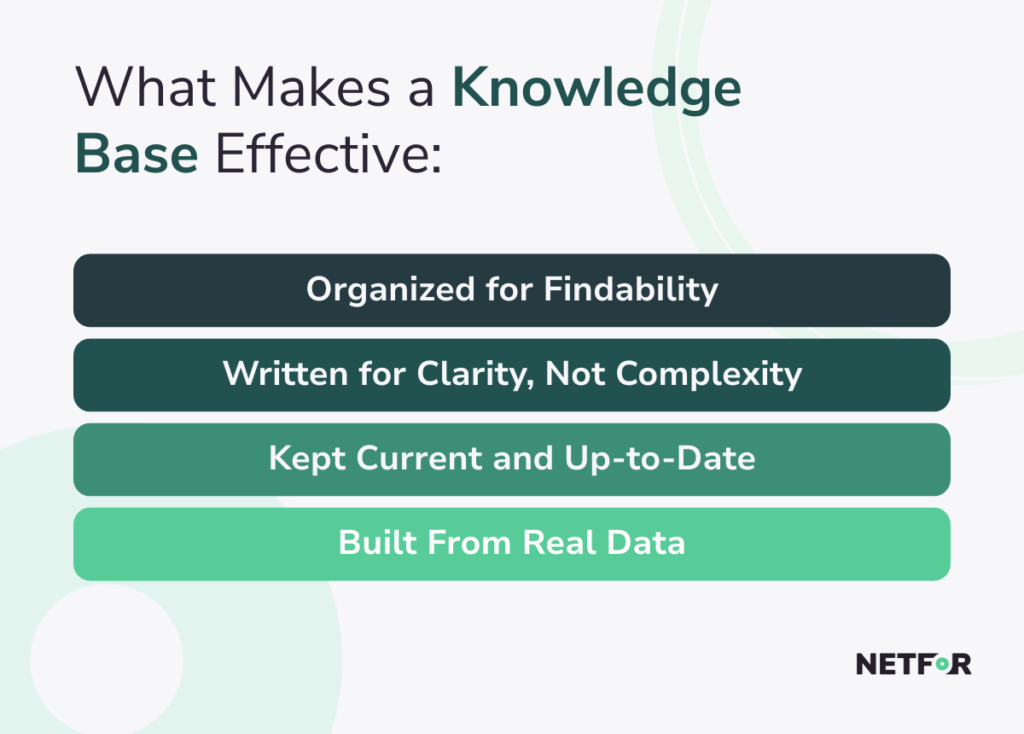
What Makes a Knowledge Base Effective
Not all knowledge bases deliver results. Many organizations build one, let it go stale, and wonder why it is not working. The difference between a knowledge base that improves performance and one that collects dust comes down to structure, content quality, and maintenance.
Organized for Findability
The most important feature of any knowledge base is that people can find what they need quickly. That means intuitive categories, a powerful search function, and consistent article formatting. If an agent has to spend 90 seconds finding an answer that should take 10 seconds, the knowledge base is costing you efficiency rather than creating it.
Organize articles by product area, topic type, or customer journey stage. Use tags and related article links to help users navigate. Make the search functionality smart enough to handle natural language queries, not just exact keyword matches.
Written for Clarity, Not Complexity
Every article in your knowledge base should be written in plain, direct language. Avoid internal jargon unless your audience already knows it. Break down complex processes into numbered steps. Use visuals where they help, such as screenshots or short videos for technical procedures.
The goal is not to showcase expertise. It is to help the reader solve a problem as quickly as possible. Test your articles with real agents and real customers to find out whether they are actually usable, then revise based on feedback.
Kept Current
A knowledge base that contains outdated information is worse than no knowledge base at all. Agents who trust a bad article and pass wrong information to a customer create bigger problems than agents who have to look things up from scratch. The same applies to customers using self-service. (NATIONAL LAW REVIEW / YRC, 2026)
Establish a review schedule for every article in your knowledge base. Assign ownership so that someone is responsible for keeping specific content current. Build triggers into your product or policy change processes so that affected articles get flagged for review automatically. (SERVICENOW COMMUNITY, 2026)
Built From Real Data
The best knowledge bases are not built from assumptions about what customers ask. They are built from actual ticket data, chat transcripts, and search query logs. Look at your top contact drivers. What are customers calling or writing in about most often? Those are the topics that need strong coverage first.
Use search analytics within your knowledge base to identify what people are looking for but not finding. If a common search returns no results or a result that does not satisfy the user, that is a content gap you need to fill.
Building an Internal Knowledge Base for Your Support Team
Your agents are the most direct beneficiaries of a strong internal knowledge base for customer support. Here is how to build one that works for them.
Map your support workflows. Before you write a single article, document the most common scenarios your agents handle. For each one, identify what information they need, what steps they follow, and what decisions they make along the way.
Create tiered content. Not all support interactions are the same. Tier-one agents handling basic questions need quick-reference guides and simple decision trees. Tier-two agents handling escalations need deeper technical documentation and troubleshooting frameworks. Build content for each level. (BALTO, 2026)
Involve your agents in content creation. Your most experienced agents have knowledge that is not written down anywhere. Capturing it in structured articles prevents that expertise from walking out the door when someone leaves. It also gives agents ownership of the knowledge base, which makes them more likely to use and maintain it.
Integrate with your support tools. A knowledge base that lives in a separate tab is less effective than one integrated into your ticketing system or CRM. The closer the information is to where agents are already working, the faster they can access it. Look for integrations that surface relevant articles automatically based on the ticket content. (BALTO, 2026)
Building an External Knowledge Base for Self-Service
Your customer-facing knowledge base requires a different approach than your internal one. Here is what to prioritize.
- Write from the customer's perspective. Customers do not know your internal terminology. They describe problems in their own words. Write article titles and content using the language customers actually use, not the language your team uses internally.
- Prioritize the highest-volume topics first. You do not need comprehensive coverage before launch. Start with the 20 or 30 questions that account for the majority of your inbound contacts. Strong coverage of the most common issues delivers more value than thin coverage of everything.
- Make it easy to escalate. Self-service is not right for every situation. Make it easy for customers to reach a live agent when they need one. Include clear calls to action within articles for situations that are too complex or sensitive for self-service. Customers who feel trapped in self-service will leave frustrated, even if the content is good.
- Measure deflection and satisfaction. Track how often customers find what they need in the knowledge base and whether that reduces contact volume. Use article ratings and follow-up surveys to assess content quality. Let the data guide your content roadmap. (UNTHREAD, 2026)
Common Pitfalls to Avoid
Even well-resourced organizations make mistakes when building a knowledge base. The most common ones include:
- Launching with too little content. A sparse knowledge base teaches users that it is not useful. Build enough coverage before launch to give users a real chance of finding what they need.
- Neglecting maintenance. Content goes stale. Build a maintenance process into your operations from the start, not as an afterthought.
- Ignoring the search experience. If users cannot find articles through search, the articles do not help. Invest in search quality and test it regularly.
- Writing for the company, not the customer. Articles that read like internal documentation confuse customers and slow down agents. Write for the person trying to solve a problem, not for the person who already knows the answer.
- Treating it as a one-time project. A knowledge base is a living system. It needs ongoing investment, ownership, and iteration to stay effective. (KCS ACADEMY / CONSORTIUM FOR SERVICE INNOVATION, 2026)
The Competitive Advantage of Getting This Right
A knowledge base is one of those infrastructure investments that may not feel exciting until you see what it delivers. Faster resolution times, lower costs, more consistent answers, stronger self-service, better agent retention. These outcomes compound over time. As your knowledge base matures, it becomes harder for competitors to replicate the institutional knowledge and service efficiency you have built into it.
For B2B organizations where the quality of your support affects customer retention and contract renewals, this is a meaningful competitive differentiator. Customers who consistently get fast, accurate answers stay longer and trust you more. (SUPPORTBENCH, 2026)
The organizations that take knowledge management success seriously tend to outperform those that treat it as an afterthought. They resolve issues faster, handle more volume with less overhead, and create better experiences for both their customers and their teams.
Your Knowledge Base Is Either an Asset or a Liability
Building a strong customer support knowledge base is one of the highest-return investments a service organization can make. It reduces average handle time, lowers support costs, improves answer consistency, and gives customers the self-service experience they increasingly expect.
The key is to treat it as a living, maintained system rather than a static document library. Ground it in real customer data. Write it for clarity. Keep it current. Integrate it into the tools your agents already use. Measure its impact and iterate based on what you learn.
When you get it right, the knowledge base becomes more than a support tool. It becomes a foundation for the kind of fast, reliable, scalable service that builds lasting customer relationships and sets your business apart. If you are ready to build or overhaul your support knowledge infrastructure, explore Netfor's customer service call center solutions, learn how Netfor approaches scaling customer support, and read about the BPO contact center model that makes it work.