

AI for Customer Support is not about replacing agents. It is about fixing the front door.
In most Customer Service environments, the real breakdown does not happen during resolution. It happens before resolution ever begins. The first 60 seconds of an interaction determine whether an issue gets routed correctly, escalated appropriately, or lost in the wrong queue. They determine whether first-call resolution is possible or whether the customer repeats their story three times. They determine whether revenue is protected or quietly leaking.
That is why a modern AI agent for customer support is not just a chatbot. It is an intelligent intake layer that captures structure before chaos sets in.
The Real Problem Isn’t Resolution. It’s Intake.
Traditional service desks create tickets before validating the information needed to resolve them. That single design flaw leads to vague descriptions, missing required fields, incorrect categorization, and manual reassignment. Agents spend the first part of every interaction collecting basic context that should have been captured automatically: identity, location, asset details, system type, urgency.
When routing accuracy is low, tickets bounce between teams. When tickets lack structure, escalations arrive incomplete. During call spikes or outages, that inefficiency multiplies fast.
This is why so many AI investments underperform. Organizations deploy chatbots or knowledge base suggestions, but they do not fix the structural problem at the front door. They automate conversation, not orchestration.
So what is AI for Customer Support? It is a governed intake system that validates, prioritizes, and routes before resolution begins.
How an AI Agent for Customer Support Actually Works
Unlike traditional IVR systems that rely on static menus, a modern AI agent for customer support uses natural language understanding to capture intent and enforce structure in real time.
Before a case ever reaches a human agent, the system should:
- Capture identity and validate required fields
- Clarify requests into specific intents
- Detect urgency signals such as revenue-blocking issues
- Generate a structured handoff summary
- Route to the correct queue or escalation path
That is the difference between automation and intelligent routing.
For example, if a retail store manager calls and says, “Our POS system is not working,” a traditional system might drop that into a general support queue. A chatbot might offer troubleshooting steps. An AI-enabled Customer Service front door recognizes that this is a revenue-critical issue, validates the store location and system details, flags urgency, and routes directly to the outage response team with a complete escalation packet.
The receiving agent does not start from zero. They begin with context. That is how an AI agent for customer support improves first-call resolution. It removes the repetitive triage step that consumes time and frustrates customers.
Can AI Reduce Hold Times Without Replacing Agents?
Yes, and that is the point. AI tools for customer support are most effective when they handle intake, validation, and prioritization, not empathy or complex judgment. When agents no longer spend the first few minutes gathering basic details, their available resolution capacity increases. When routing is accurate the first time, transfers decline. When urgency is detected automatically, high-impact issues do not sit in First-In, First-Out (FIFO) queues.
An AI Call Center built around structured intake behaves differently during demand spikes. Instead of simply stacking calls, it triages intelligently. Routine inquiries can route to automated paths or structured queues. Revenue-impacting issues rise to the top.
This is especially critical during events like:
- Retail promotional surges
- QSR lunch rush outages
- Seasonal spikes
- Regional system disruptions
AI Driven Outsourcing combines intelligent intake with human expertise. Automation prepares the work. People resolve it. That hybrid model scales more effectively than headcount alone.
Why Omni-Channel Customer Support Requires Structured Intake
Customers no longer stay in one channel. They start in chat, move to phone, send a follow-up email. Without structured intake, every channel restart feels like a reset.
Omni-Channel Customer Support only works when intake logic is consistent across voice, chat, SMS, and email. A returning customer should not have to re-explain the issue because the system failed to unify context.
A properly implemented AI Help Desk captures the conversation once and passes a structured record forward. That continuity reduces friction, improves perception, and increases resolution speed.
The question many organizations ask is: What should we look for when choosing AI tools for customer support?
The answer is not flashy demos or generative responses. It is structure.
Look for systems that:
- Enforce required fields before routing
- Detect urgency based on business impact
- Produce clean, structured handoff summaries
- Log escalation decisions for auditability
- Maintain human-in-the-loop guardrails
Conversation alone is not enough. Governance matters.
Field Service: Where Intake Errors Get Expensive
The impact of structured intake becomes even clearer in field service environments.
Dispatching a technician without the correct information is costly. Failed truck rolls occur when intake does not validate asset details, skill requirements, site access, or parts availability. The technician arrives unprepared. The job is rescheduled. Customer confidence declines.
Structured intake acts as a dispatch filter. Up to 25% of truck rolls are classified as non-value-added and could be avoided with better triage (Smarty).
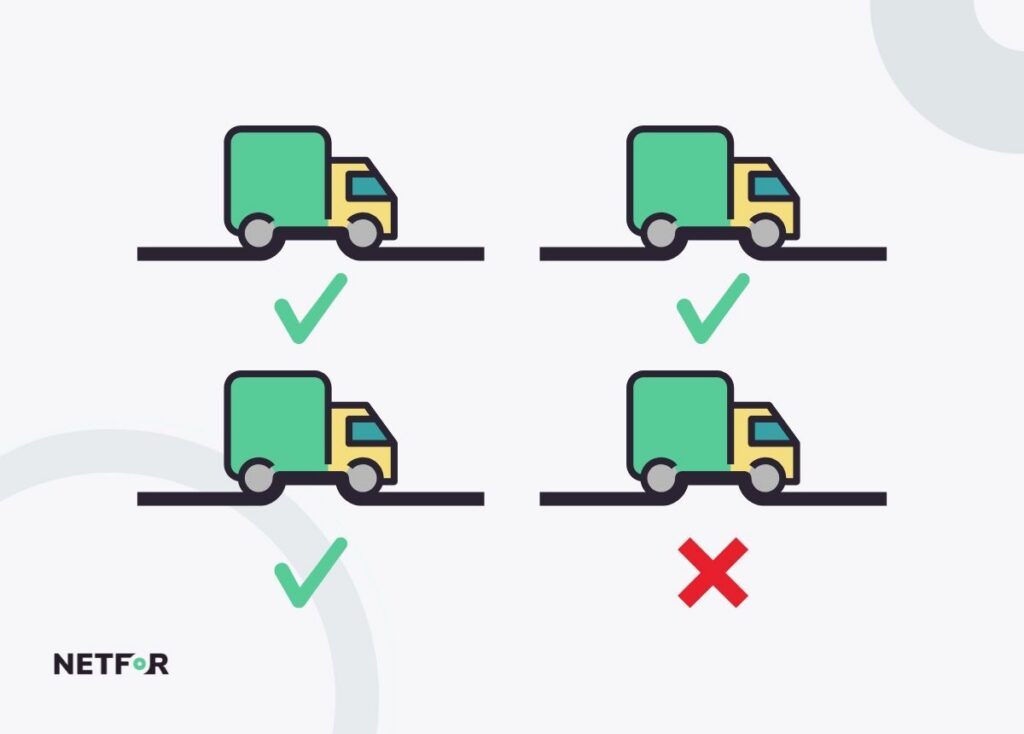
An AI agent for customer support supporting field operations can validate equipment models, capture symptom specificity, confirm access requirements, and route based on technician skillsets before dispatch occurs.
Improving first-time fix rates does not begin in the truck. It begins at intake. When intake quality improves, avoidable dispatch errors decline. When routing is skills-based, repeat visits decrease. When parts compatibility is confirmed early, resolution accelerates. This is where AI for Customer Support intersects with operational efficiency beyond the contact center.
Revenue Protection During Outages
Traditional queues treat every request the same. A password reset sits beside a full system outage. During normal operations, that is inefficient. During an outage, it is dangerous.
Downtime costs are not uniform. Major retail operations lose approximately $18,333 per minute during system outages (Siemens, 2024). An AI-enabled call center for customer support changes that dynamic immediately. When phrases like “store down,” “cannot process payment,” or “system offline” are detected, the system automatically elevates those interactions. High-impact locations bypass routine inquiries. Escalations include structured context, such as store number, affected system, and urgency level, so response teams can act without delay.
At the same time, repetitive status-check calls can be handled through automated updates. Instead of overwhelming the service desk with identical questions, the AI provides consistent communication while human teams focus on restoring service.
In retail and QSR environments, where digital transactions drive a significant share of revenue, minutes of downtime truly matter. Even short disruptions can send customers to competitors. Structured intake combined with intelligent prioritization ensures that revenue-blocking issues receive immediate attention. That is revenue protection in action.
Governance Is Not Optional
AI Customer Service systems operate in regulated environments. Payment data, personal information, and operational records must be protected. A mature AI Call Center platform should include:
- Validation loops to ensure processing integrity
- Pause-and-resume or redaction controls for sensitive data
- Logged escalation decisions
- Audit-ready documentation
- Clear human override paths
Without governance, automation introduces risk. With structure, it reduces it. This is why modern AI agents for customer support are not just conversational tools. They are operational control layers.
Take a look at our blog on AI Call Center Strategies and Fixing Broken Queues & Hold Times, where we break down why traditional call center models struggle during demand spikes and how AI can improve intake, routing, and prioritization. It explains how smarter queue management reduces hold times, protects revenue during outages, and ensures critical issues reach the right team faster without replacing human agents.
Traditional vs Chatbot vs Structured AI
It helps to simplify the landscape. Traditional support relies on manual triage and FIFO queues. Basic chatbots focus on deflecting simple questions. Structured AI front doors enforce validated intake, detect urgency, and route intelligently across channels.
If your current system allows tickets to be created without required information, misroutes high-impact issues, or relies on manual escalation judgment, the problem is not staffing. It is intake architecture.
AI for Customer Support is most powerful when it strengthens that architecture.
Takeaway: Fix the First 60 Seconds
Most organizations approach AI from the wrong angle when trying to implement it into their customer support operations. They try to automate resolution processes before they have effectively addressed and fixed the initial intake stage of customer interactions.
The first minute determines everything that follows:
- Routing accuracy
- First-call resolution
- Agent workload
- SLA performance
- Dispatch efficiency
- Outage response
- Revenue protection
“You never get a second chance to make a first impression” - Will Rogers.
When intake is clean, queues behave. When queues behave, agents perform. When agents perform, customers stay.
Netfor’s AI-enabled Customer Service approach focuses on structured intake and safe escalation. Clean intake for the normal flow. Safe escalation for edge cases. U.S.-based teams supported by intelligent routing, not replaced by it.
Because when the first 60 seconds work, the rest of the operation works with it.